


7 Ways to Fix a Weak Kre8or.ai Prompt (With Before and After Examples)
When your image looks close but wrong, the problem usually isn’t the AI. It’s the prompt. The model you’re using inside Kre8or.ai didn’t misunderstand you so much as it understood you exactly, and what you asked for just wasn’t specific enough to produce what you pictured. If you’ve stared at a muddy, generic result and wondered what went wrong, this is a troubleshooting guide, not another “prompting 101” post. Below are seven prompt failures that come up again and again, with the exact fix for each and a before-and-after rewrite you can test yourself.
Fix 1: You listed nouns instead of describing a scene
A lot of weak prompts read like a shopping list: subject, adjective, adjective, style, done. “Woman, red dress, city, neon lights, digital art.” Each word is doing its job in isolation, but nothing tells the model how those pieces relate to each other, so it fills in the gaps with whatever is statistically average for those terms. That’s how you end up with a technically correct but lifeless image.
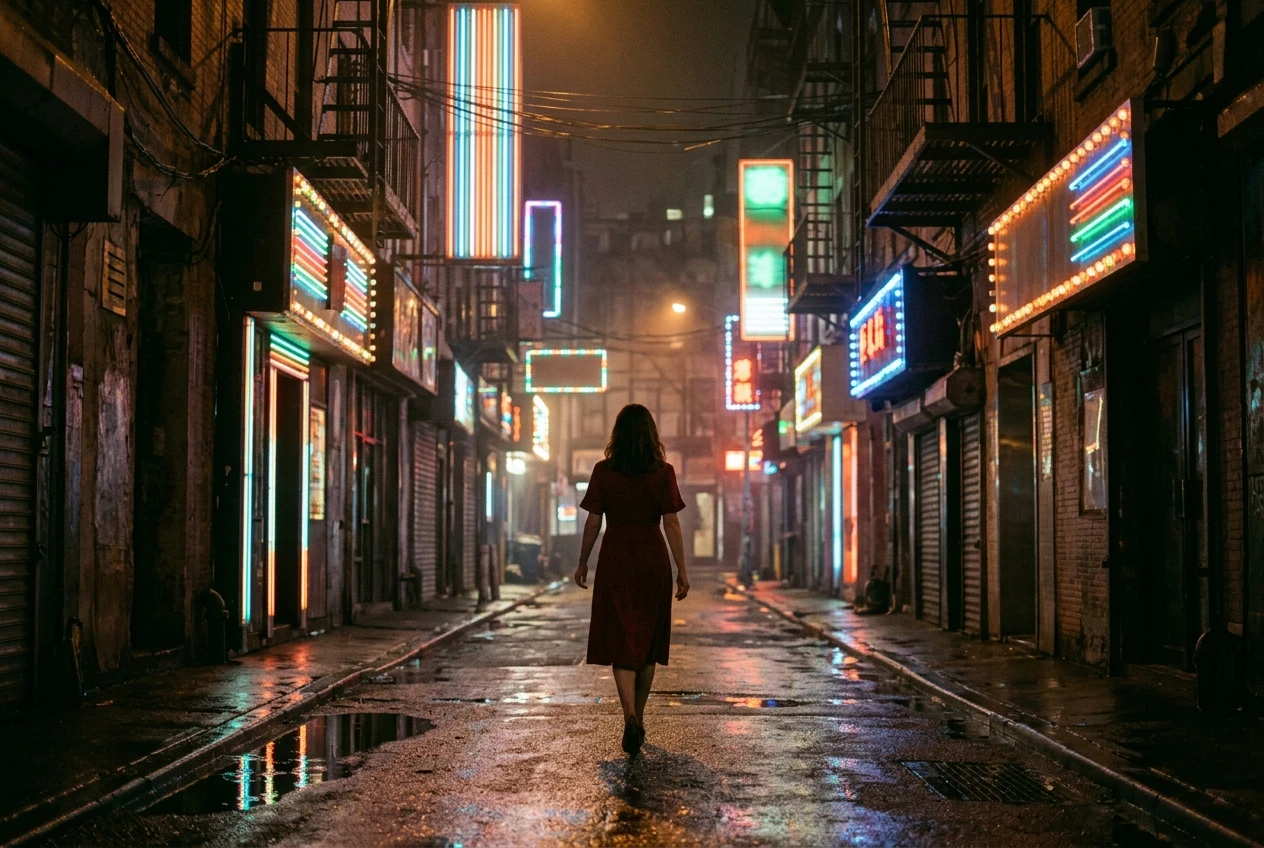
The fix is to write a sentence, not a list. Describe what’s happening and where the subject sits in the frame, the way you’d describe a photograph to someone who can’t see it.
- Before: “Woman, red dress, city, neon lights, digital art”
- After: “A woman in a red dress walks alone down a narrow city street at night, neon signs reflecting off the wet pavement around her”
The second version gives the model a relationship between the elements: the dress against the wet street, the neon as a light source rather than a decoration. If you want a deeper breakdown of how to build these sentence-style prompts from scratch, the piece on writing AI art prompts that actually work walks through the structure in more detail.
Fix 2: Your style words are fighting each other
Stacking style keywords feels like it should make a prompt stronger. “Photorealistic, oil painting, anime, 3D render” sounds like you’re covering every angle, but you’re actually asking the model to average four visual languages that don’t belong in the same image. The result is a compromise: not photorealistic, not painterly, just blurry in a way that’s hard to name.
The fix is to pick one visual language and commit to it. If you want texture or mood borrowed from a second style, name the specific quality you want rather than the whole style.
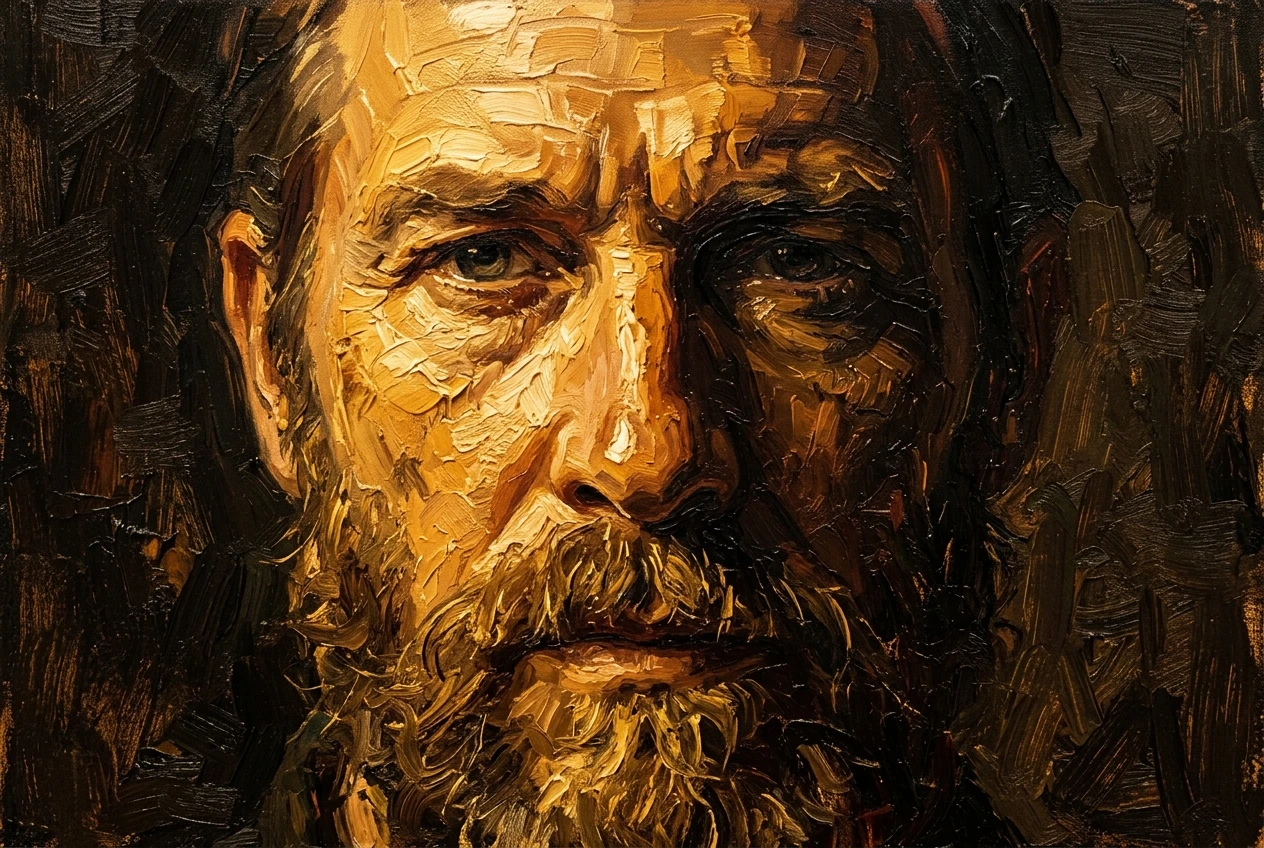
- Before: “Photorealistic, oil painting, anime, 3D render, portrait of a man”
- After: “Oil painting portrait of a man, visible brushstrokes, warm impasto texture, Rembrandt lighting”
Notice the second version still has multiple descriptors, but they all serve the same style instead of competing with it. “Warm impasto texture” and “Rembrandt lighting” both reinforce the oil painting direction rather than pulling toward a different medium.
Fix 3: You forgot to tell it where the light is coming from
This is the fix that quietly ruins more images than any other, and it’s the easiest to skip because light feels implied. It isn’t. If you don’t specify a light source and direction, the model defaults to flat, even lighting that makes everything look like a product photo under fluorescent tubes. No shadows, no depth, no mood.
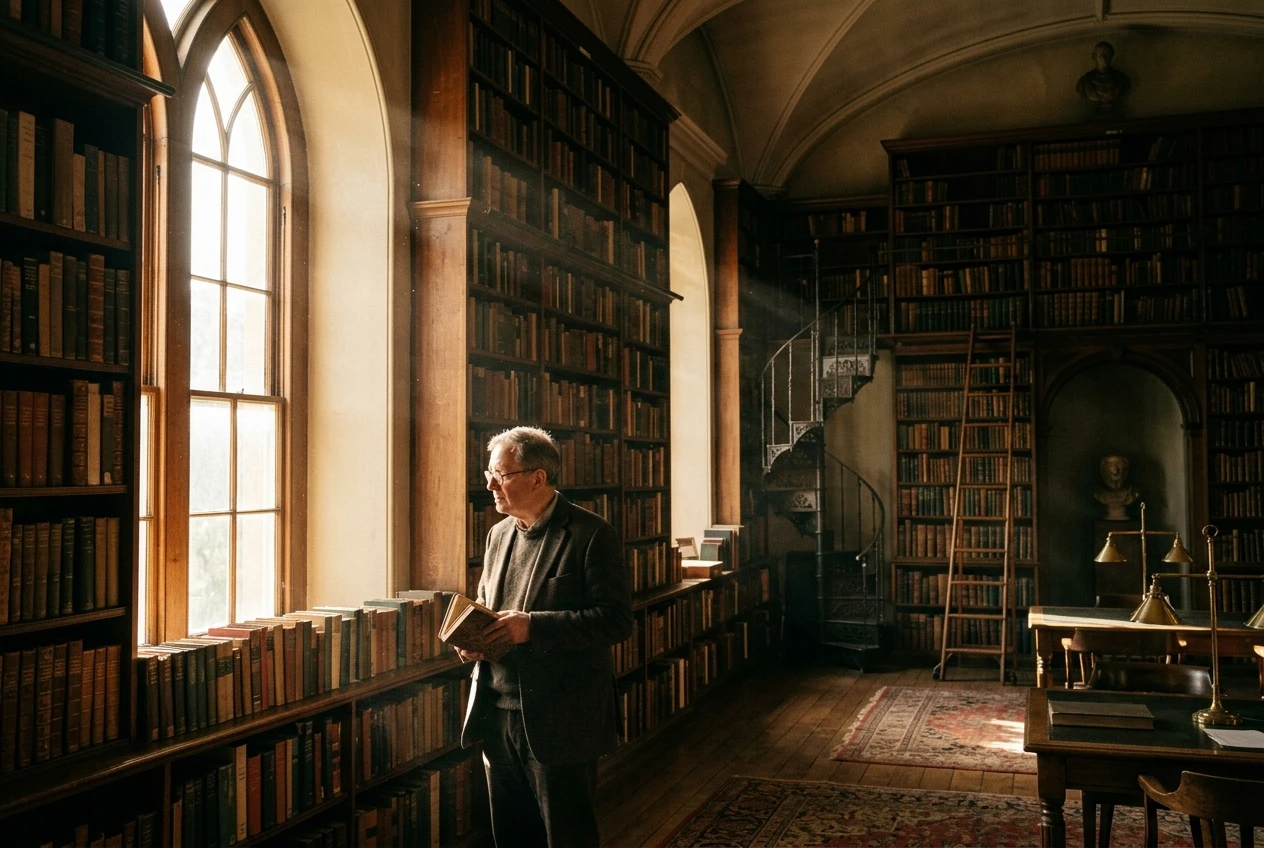
The fix is to name the light source and where it’s hitting the subject from.
- Before: “A man standing in an old library”
- After: “A man standing in an old library, lit from one side by a tall window, dust visible in the shaft of afternoon light, deep shadows on the opposite wall”
That one phrase, “lit from one side by a tall window,” does more work than almost any other addition you can make to a prompt. Light direction tells the model where to put shadow, where to put highlight, and how much contrast the scene should have. Skip it and you get flatness every time.
Fix 4: You’re missing a camera or lens cue (and why that matters more than you think)
Aspiring artists often think camera language is a photographer’s problem, not an AI art problem. But the model has absorbed an enormous range of visual conventions tied to specific lenses and shot types, and leaving that cue out means it has to guess whether you want a close-up or a wide shot, a flat composition or one with real depth of field.
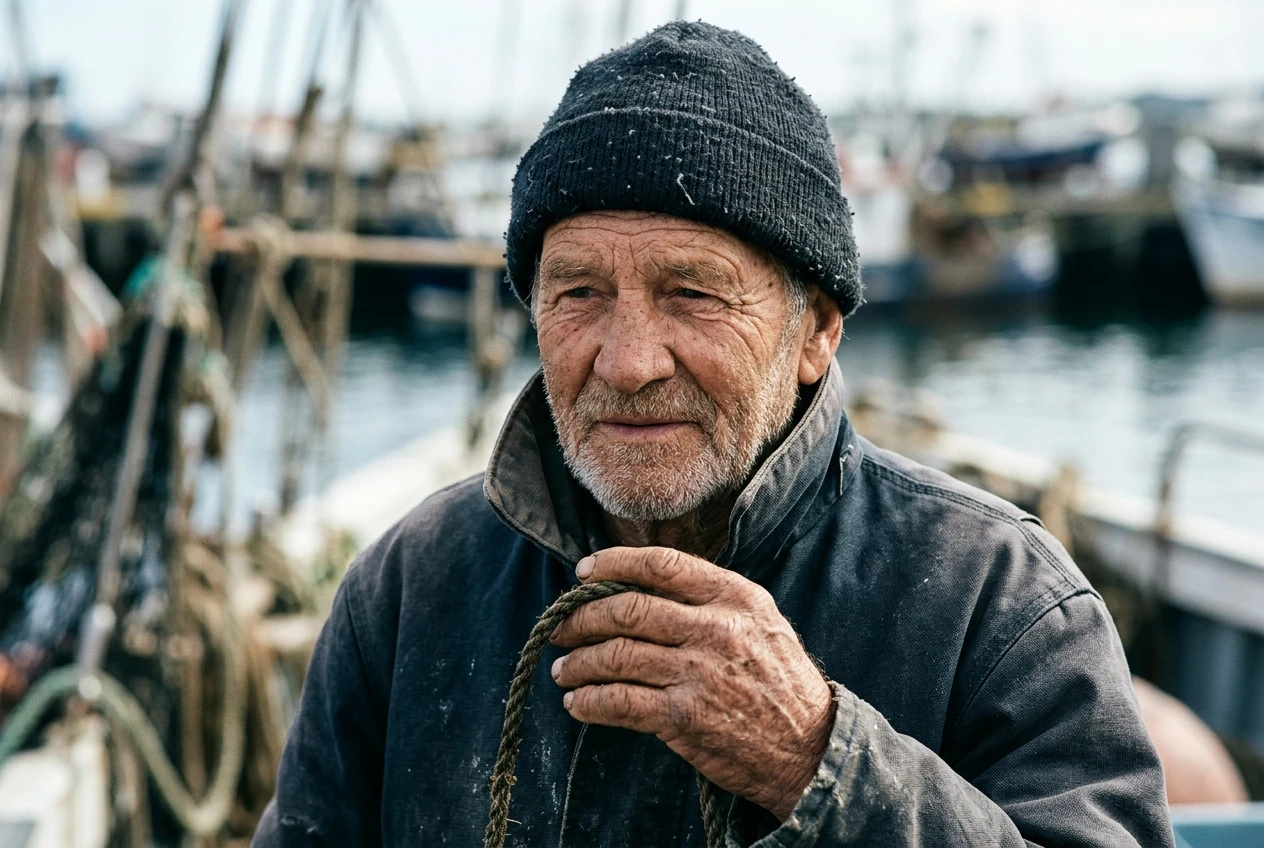
A camera or lens cue is shorthand for an entire set of visual decisions: how much of the scene is in focus, how compressed or expansive the background feels, how close you are to the subject.
- Before: “Portrait of an old fisherman”
- After: “Portrait of an old fisherman, shot on an 85mm lens, shallow depth of field, soft blurred background, close crop on the face and weathered hands”
The second prompt tells the model exactly how to handle focus and framing instead of leaving it to chance. If you’re working specifically on character portraits, the cyberpunk portrait prompt syntax breakdown goes deeper into how lens and lighting cues combine for that particular look, and the same logic carries over to other genres.
Fix 5: Your prompt is too long and buries the one detail that matters
There’s a point where adding more words to a prompt stops helping and starts hurting. Once you pass a certain length, the model has to weigh dozens of competing instructions, and the detail you actually care about, say, a specific expression or a particular object in someone’s hand, gets diluted among ten other descriptors of roughly equal weight.
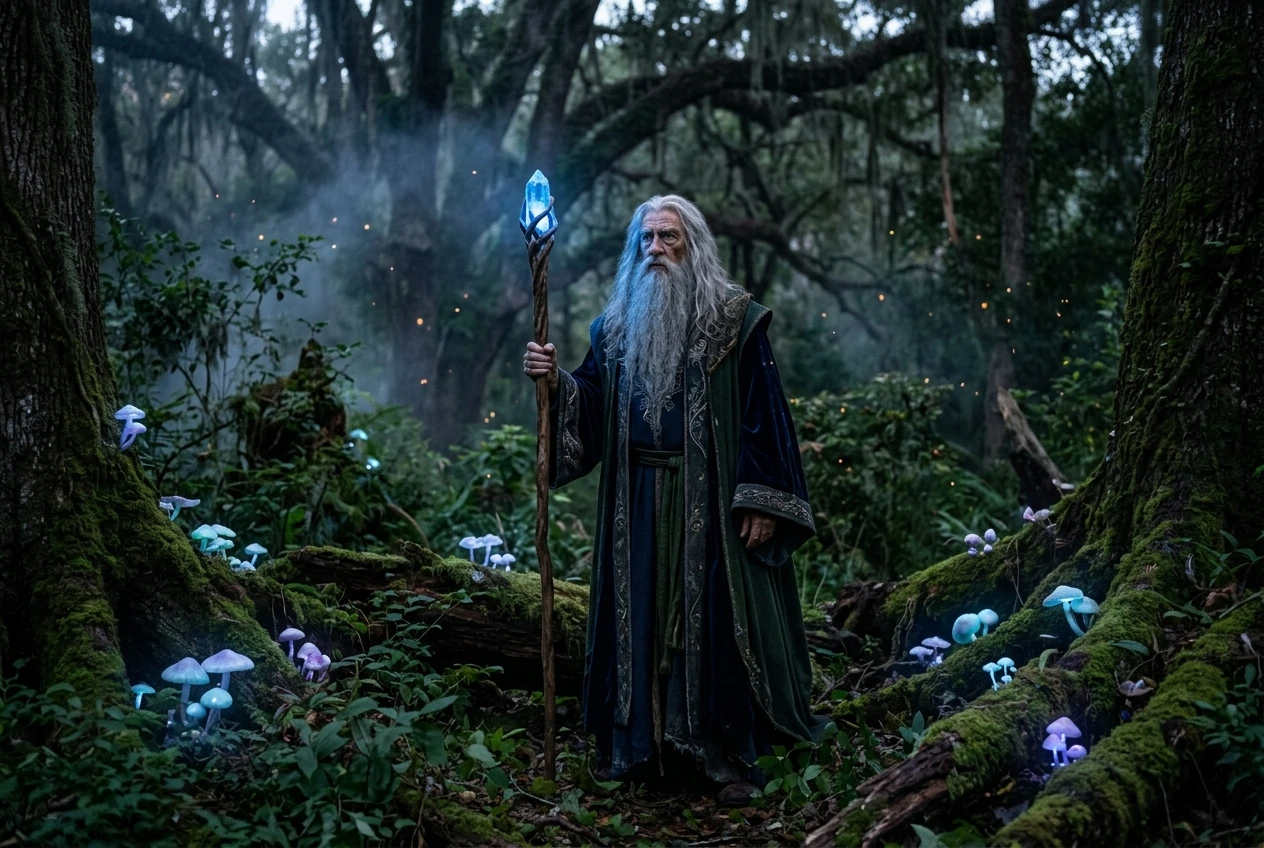
The fix is to decide what the one or two non-negotiable details are and put them first, then trim everything else that isn’t doing real work.
- Before: “A majestic elderly wizard with a long flowing silver beard standing in an ancient enchanted forest filled with glowing mushrooms and floating fireflies at twilight wearing ornate robes with intricate gold embroidery holding a wooden staff topped with a glowing blue crystal looking wise and powerful”
- After: “An elderly wizard holding a staff topped with a glowing blue crystal, standing in a twilight forest with glowing mushrooms, long silver beard, ornate robes”
The after version is shorter and keeps the staff and the crystal, the detail most likely to define the image, near the front. Everything that got cut (fireflies, “looking wise and powerful,” the word “majestic”) wasn’t adding visual information the model could act on. It was adding noise.
Fix 6: You never specify what to leave out
Most prompting advice focuses entirely on what to include, but a huge share of muddy results come from things the model added that you never asked for and don’t want. Extra fingers, a second face in the background, text that shouldn’t be there, a watermark-like artifact in the corner. If you don’t tell the model what to avoid, it has no reason not to include whatever is statistically common for that kind of image.
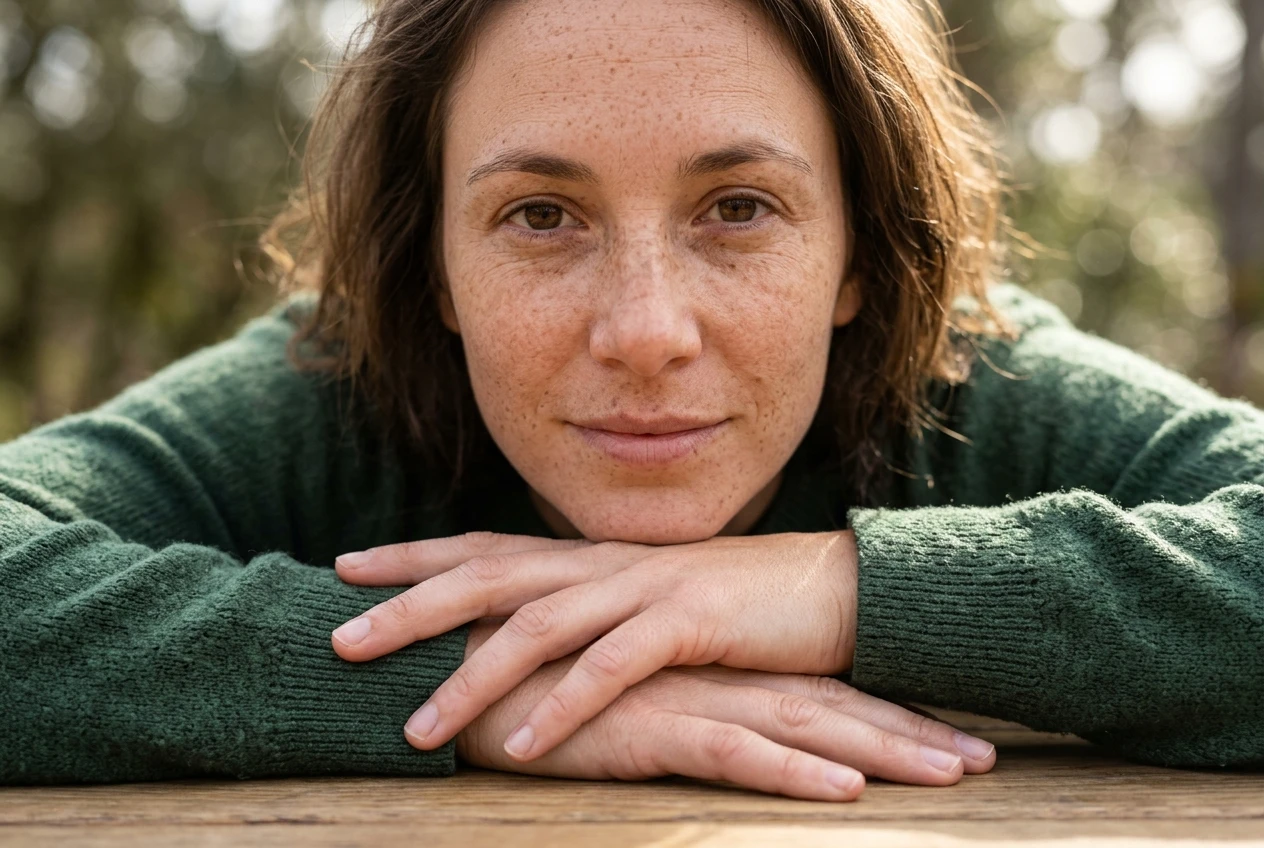
The fix is to add a short negative instruction alongside your main prompt, naming the specific things you want excluded.
- Before: “Close-up portrait of a woman with freckles”
- After: “Close-up portrait of a woman with freckles. Avoid: extra limbs, blurry eyes, text, watermark, duplicate faces”
This isn’t about padding the prompt with every possible negative you can think of. It’s about naming the one or two failure modes you’ve actually seen show up in your own results and ruling them out directly.
Fix 7: You’re not iterating, you’re starting over every time
This is less about any single word choice and more about how you work. A lot of aspiring artists treat every disappointing result as a reason to scrap the prompt and write a completely new one. That throws away information. If an image was close but the lighting was wrong, the fix isn’t a new prompt, it’s one changed phrase in the prompt you already had.
The fix is to treat your prompt as a draft you adjust, not a guess you replace. Change one variable at a time: swap the lighting phrase, adjust the lens cue, tighten the negative list, and generate again before touching anything else.
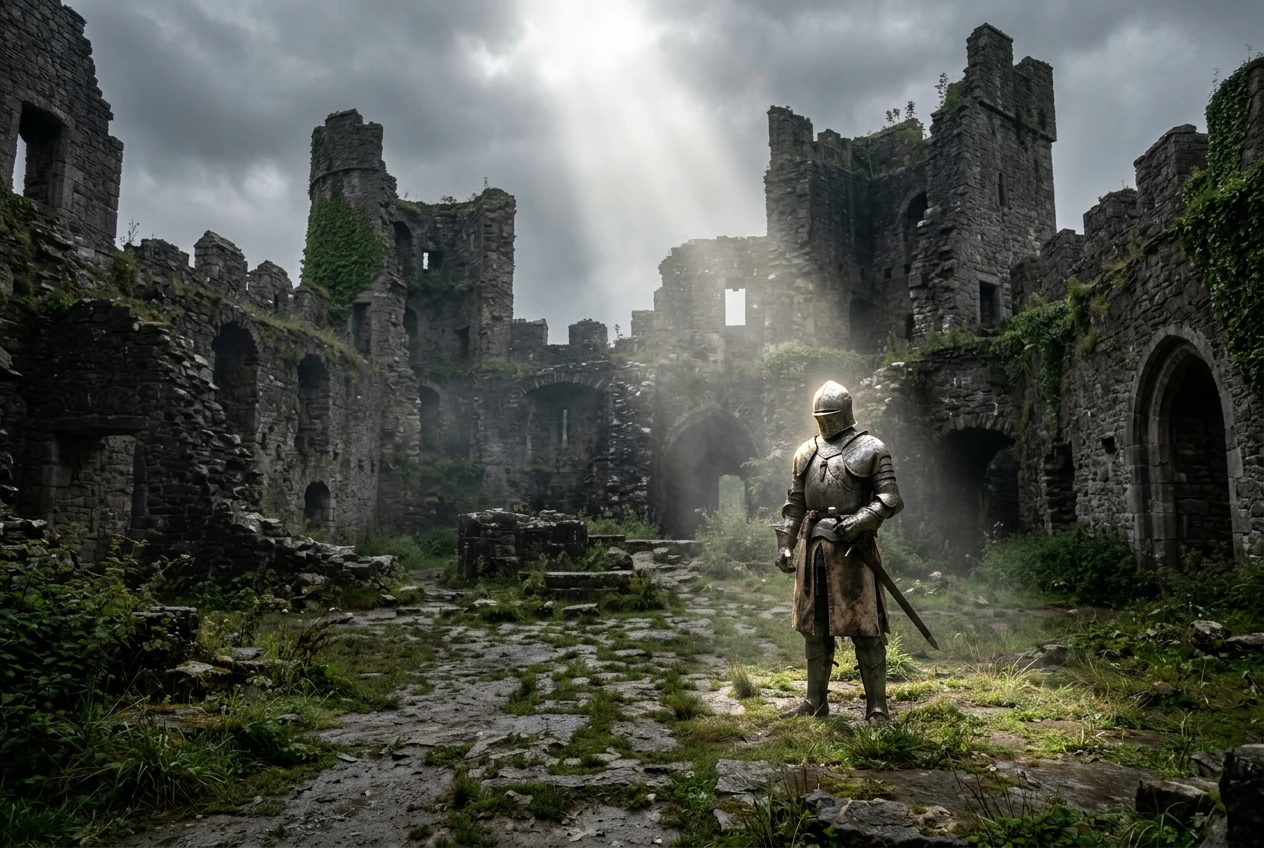
- Round one: “A knight standing in a ruined castle courtyard, overcast lighting, wide shot”
- Round two (one change): “A knight standing in a ruined castle courtyard, lit by a single shaft of sunlight breaking through clouds, wide shot”
Keep the parts that worked. Change the part that didn’t. This is how you figure out which phrase in your prompt was actually responsible for the result you got, instead of guessing blind every time you open Kre8or.ai.
Keep a running prompt journal so your fixes compound
Once you start iterating instead of starting over, it’s worth keeping a simple record of what you tried and what it produced. A running prompt journal can be as basic as a document where you paste the prompt, note the one thing you changed from the last version, and jot a line about what shifted in the result. Over time this becomes a personal reference you can search instead of a memory you’re relying on.
The value shows up fast. If you know that “lit from one side by a window” reliably adds depth, or that stacking more than two style words tends to produce a muddier result, you stop relearning the same lessons on every new project. You start each new prompt from a baseline of things you already know work, rather than from zero.
This matters more in Kre8or.ai than it might in a tool you use casually, because the fixes above compound. A prompt with a clear scene description, one consistent style, a named light source, a lens cue, a trimmed length, a short negative list, and one deliberate change per round isn’t seven separate improvements stacked at random. It’s a prompt built the way a working artist actually builds one: layer by layer, with each layer doing a specific job.
If you’ve been getting close-but-wrong results, you likely don’t need a different tool or a longer prompt. You need to go through this list against your last few attempts and find which one or two fixes you’ve been skipping. Most people find it’s the same one or two every time, which is exactly why a prompt journal pays off so quickly once you start keeping it.
Open a free Kre8or.ai account and run each fixed prompt yourself to see the before and after difference firsthand.