


How to Keep the Same AI Character Looking Right in Every Scene on kre8or.ai
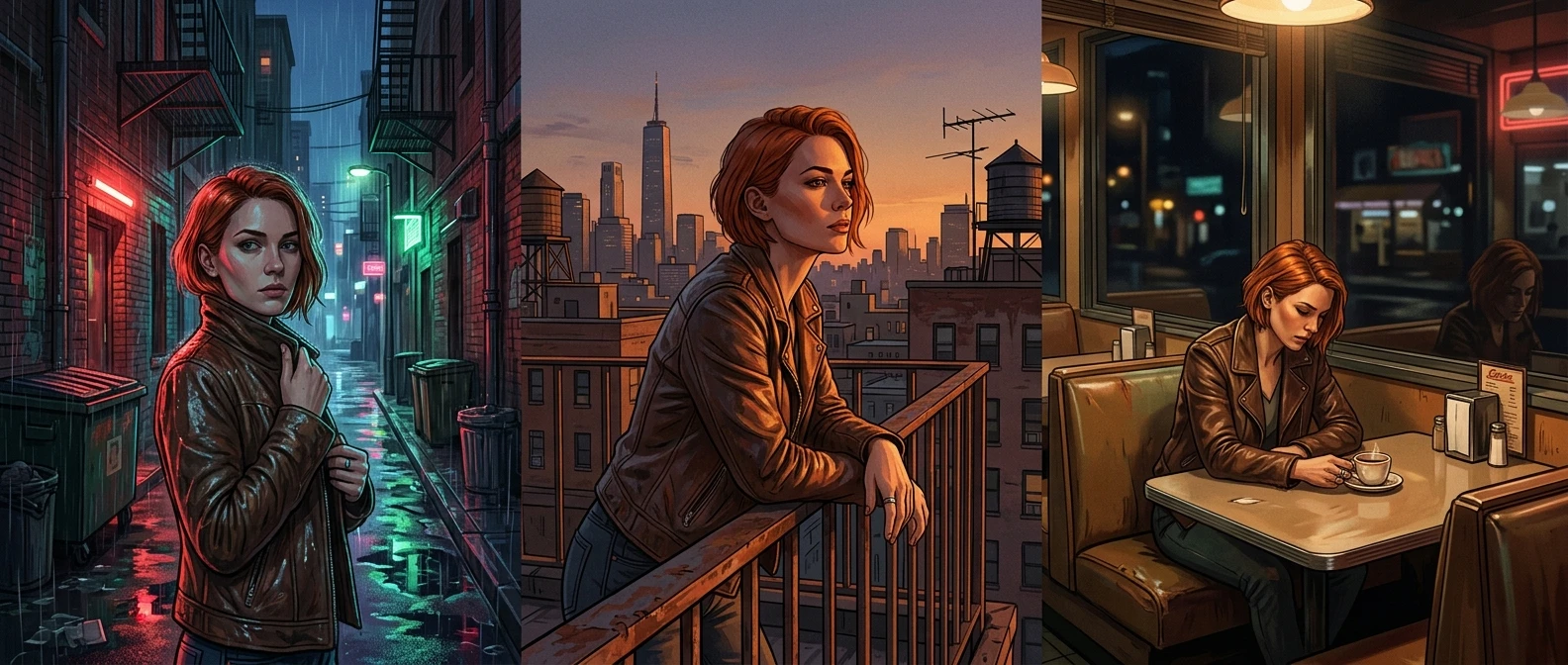
Generating one great image of a character is easy. Generating the same character five more times, in five different scenes, without their face subtly rearranging itself, is the actual skill. If you’re building story panels, a comic, or any kind of character series, this is the problem that decides whether your project looks like one world or five strangers who happen to share an outfit.
This article gives you a structure, not just advice: an anchor description block you reuse word for word, and a set of scene variables you swap around it. Once you have the pattern, keeping an AI character consistent across images stops being luck and starts being a template you fill in.
Why your AI character keeps drifting between generations
Every time you write a fresh prompt from scratch, you’re asking the model to reinvent your character from nothing. Even if you reuse some of the same words, small phrasing changes nudge the output. A slightly different adjective order, a dropped detail, a new scene description competing for the model’s attention: any of these can shift the face shape, the hair length, or the color of the jacket.
The model isn’t being inconsistent on purpose. It’s responding to whatever description you gave it that time, and if the description changes even a little, the output changes with it. The fix isn’t a better single prompt. It’s a description you lock in place and never rewrite, paired with the discipline to only change the parts of the prompt that describe the scene around the character.
Building an anchor description: the character block you reuse every time
The anchor is a fixed block of text that describes your character’s identity: the physical and stylistic traits that make them recognizable. You write it once, save it somewhere, and paste it into every single prompt for that character, unchanged.
A solid anchor block covers:
- Face and build: age range, face shape, notable features, body type
- Hair: color, length, style
- Signature outfit: the one set of clothing this character wears across the series, described specifically
- Color palette: two or three colors tied to the character, repeated every time
- Art style tag: the rendering style you’re committing to for the whole series
Here’s what an anchor block looks like in practice:
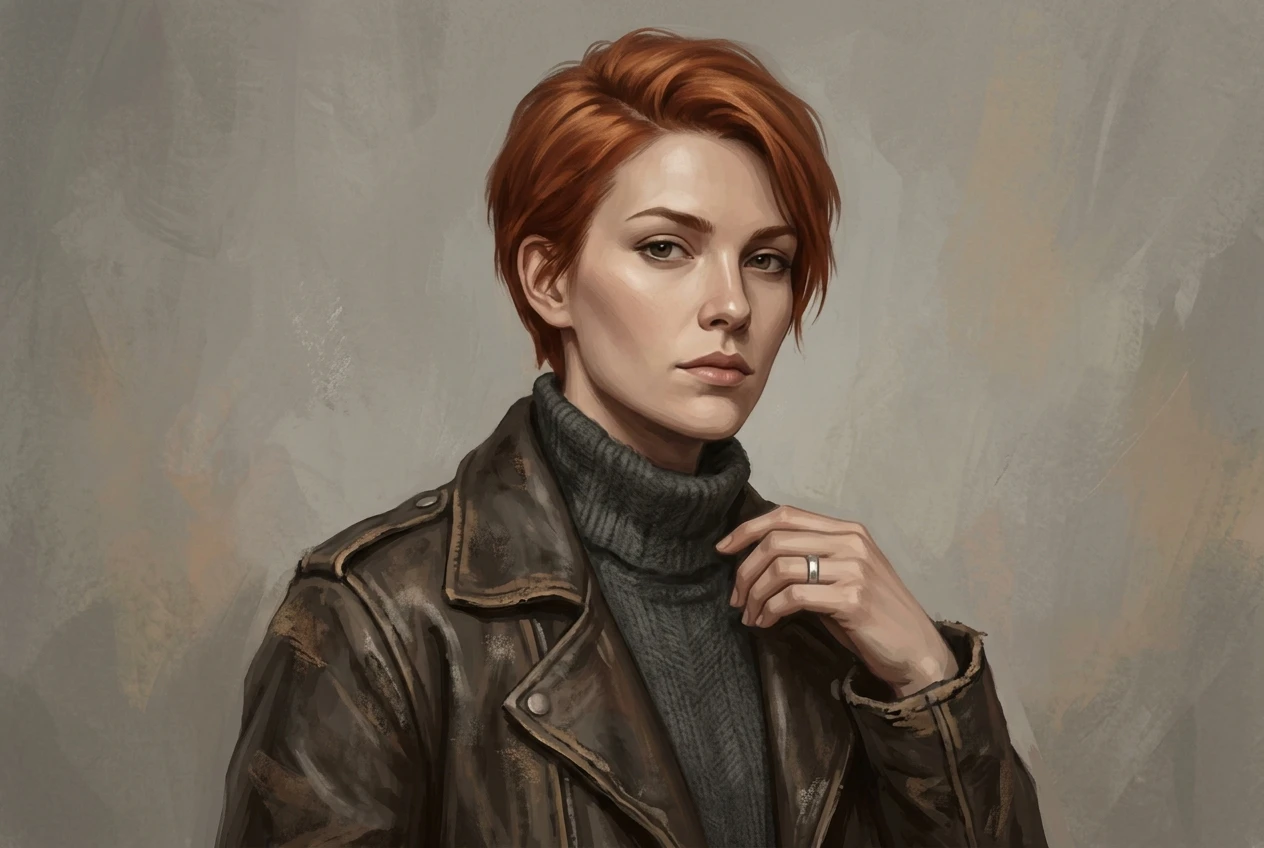
“A woman in her late twenties with sharp cheekbones, short copper hair swept to one side, wearing a weathered brown leather jacket over a dark gray turtleneck, silver ring on her right hand, muted earth-tone palette, semi-realistic digital painting style.”
That whole sentence is the anchor. It goes into every prompt for this character, every time, worded exactly the same.
Which details actually hold a character together, and which ones you can let vary
Not every detail carries the same weight. Some are load-bearing: change them and the character stops reading as the same person. Others are flexible, and forcing them to stay identical in every scene actually makes your images look stiff and repetitive.
Keep these locked:
- Face shape and distinguishing features (scars, freckles, eye color)
- Hair color and length
- The signature outfit, or at least its core pieces and colors
- Any accessory that functions as an identity marker, like a specific weapon, tattoo, or piece of jewelry
- The overall art style
Let these vary freely:
- Pose and expression
- Camera angle and framing
- Lighting and time of day
- Background and setting
- Weather or atmosphere effects
This split matters because a character who stands, sits, and fights in exactly the same stiff pose across ten panels looks like a cardboard cutout, not a person. Consistency should live in identity, not in rigidity. The scene around your character should feel alive even while the character themselves stays recognizable.
A copy-and-adapt template for swapping scenes without losing the subject
Once you have your anchor block, the rest of the prompt follows a simple shape: anchor first, scene variables after. Here’s the structure to copy:
[Anchor description block], [pose or action], [setting], [lighting], [camera framing], [art style tag if not already in the anchor].
In practice, that becomes:
“[Anchor block], standing with arms crossed, in a rain-soaked alley at night, lit by a single flickering neon sign, medium shot, semi-realistic digital painting style.”
To generate the next scene, you don’t touch the anchor at all. You just rewrite everything after it:
“[Anchor block], crouched behind a crate, inside a cluttered warehouse, soft daylight through broken windows, wide shot, semi-realistic digital painting style.”
The anchor stays frozen. The scene variables do all the work of moving your character through the story. If you’re still refining how you phrase scene and style details in general, this guide to writing prompts that actually work covers the fundamentals that pair well with this template.
Worked example: one character, three different settings
Take the anchor block from earlier: the woman with copper hair, the brown leather jacket, the silver ring. Here’s how she holds up across three scenes using the template.
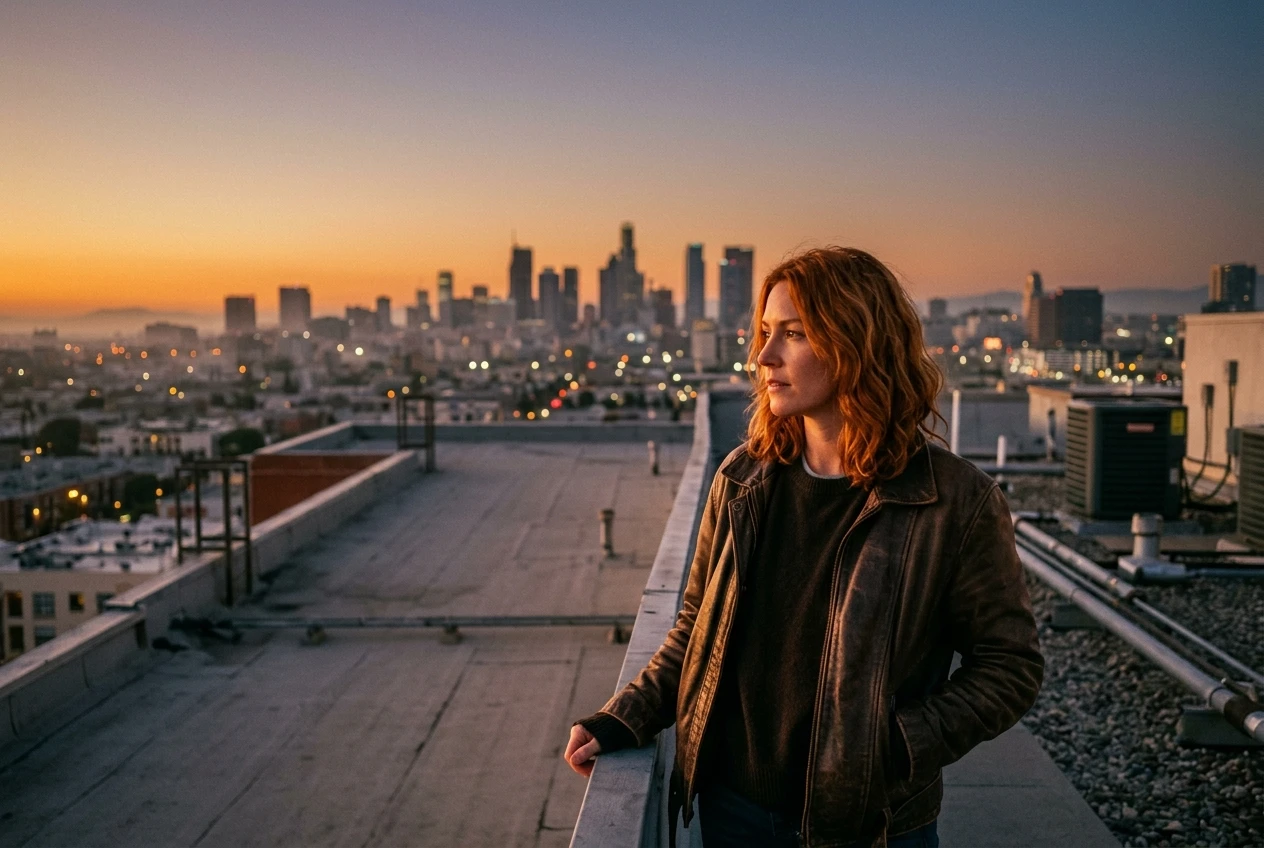
Scene one, a city rooftop at dusk:
“A woman in her late twenties with sharp cheekbones, short copper hair swept to one side, wearing a weathered brown leather jacket over a dark gray turtleneck, silver ring on her right hand, muted earth-tone palette, semi-realistic digital painting style, standing at the edge of a rooftop, city skyline behind her, warm orange dusk light, wide shot.”
Scene two, inside a dim stairwell:
“A woman in her late twenties with sharp cheekbones, short copper hair swept to one side, wearing a weathered brown leather jacket over a dark gray turtleneck, silver ring on her right hand, muted earth-tone palette, semi-realistic digital painting style, descending a concrete stairwell, single overhead bulb casting hard shadows, low angle shot.”
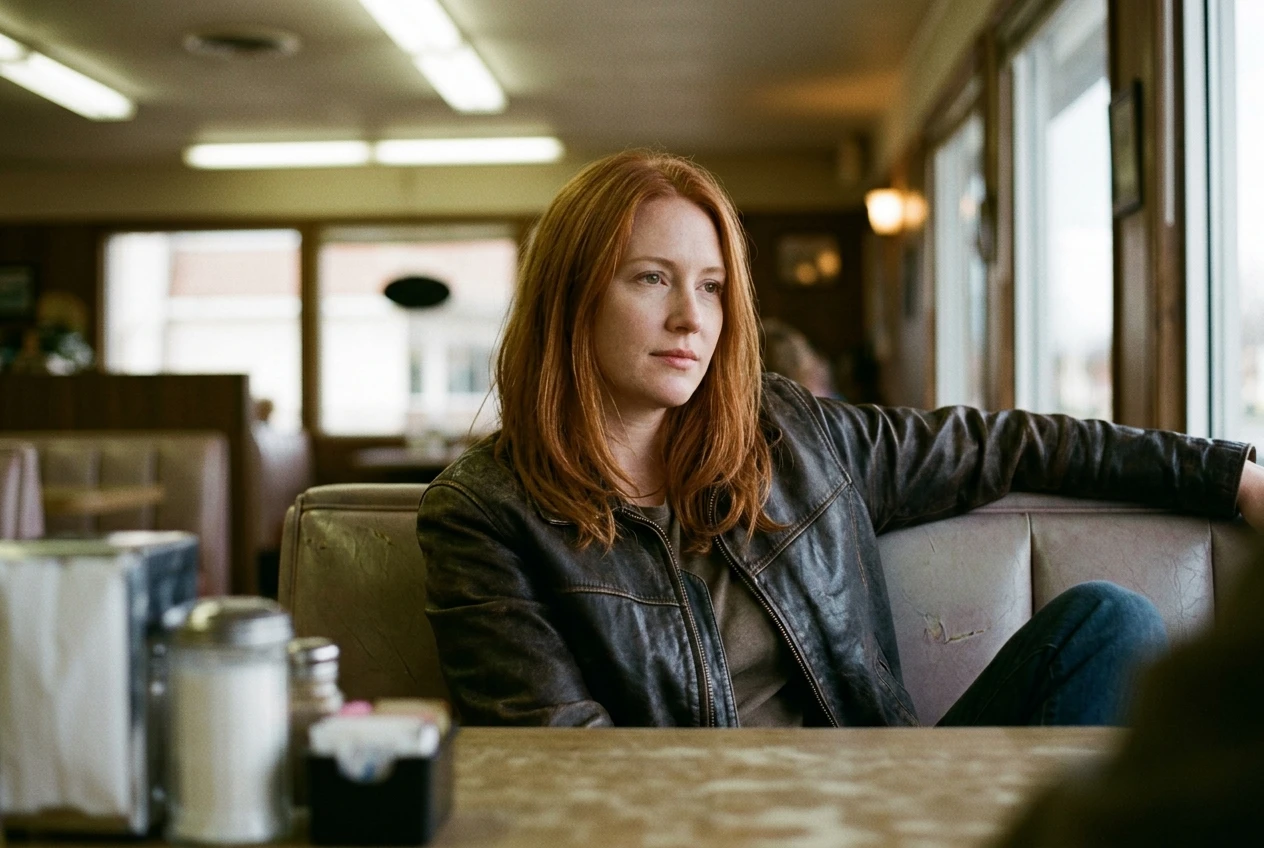
Scene three, a quiet diner booth:
“A woman in her late twenties with sharp cheekbones, short copper hair swept to one side, wearing a weathered brown leather jacket over a dark gray turtleneck, silver ring on her right hand, muted earth-tone palette, semi-realistic digital painting style, sitting in a diner booth, soft fluorescent lighting, close-up shot, relaxed expression.”
Three completely different moods, three different lighting setups, three different camera distances. One recognizable character, because the anchor block never changed a word.
When a generation breaks consistency, and how to fix it without starting over
Sometimes the model still drifts, even with a locked anchor. Maybe the hair comes out a shade lighter, or the jacket loses its texture. When that happens, resist the urge to rewrite the whole prompt. Check these three things first:
- Did the anchor block actually stay word-for-word identical to your saved version? Copy-paste errors are the most common cause of drift.
- Is the scene description crowding out the character description? If your setting details run long, the model may weight them more heavily. Try trimming the scene section rather than the anchor.
- Is the art style tag present in every prompt? Dropping it even once can shift the rendering enough to look like a different character.
If one of these fixes doesn’t solve it, try regenerating with the exact same prompt rather than editing it. Sometimes a single output is an outlier, not a sign that your template is broken. You don’t need to rebuild the character from zero. You need to find which single variable moved.
Mistakes that quietly reset your character’s look
A few habits undo consistency work without anyone noticing until the images are already inconsistent:
- Paraphrasing the anchor instead of pasting it. Writing “brown jacket” one time and “worn leather coat” the next describes roughly the same thing to you, but reads as a different garment to the model.
- Describing the outfit by vibe instead of specifics. “Stylish outdoor gear” will generate differently every time. “Olive green field jacket with brass buttons” won’t.
- Letting the art style tag drift between prompts, especially when you’re experimenting with other characters in between and forget to reset it.
- Changing hair length or color “just for this one scene.” Even a flashback or a dream sequence needs a reason built into the anchor, not a quiet edit.
- Adding new identity details mid-series. If a scar or tattoo matters, it belongs in the anchor from the first prompt, not introduced three images in.
Each of these feels small in the moment. Stacked across a ten-panel comic or a multi-scene character series, they’re the difference between a character readers recognize instantly and one they have to squint at to place.
Open kre8or.ai and run the anchor template on your own character, then swap just the scene line to see it hold up across three different backgrounds.