


Cyberpunk Portraits in kre8or.ai: The Exact Prompt Syntax That Works
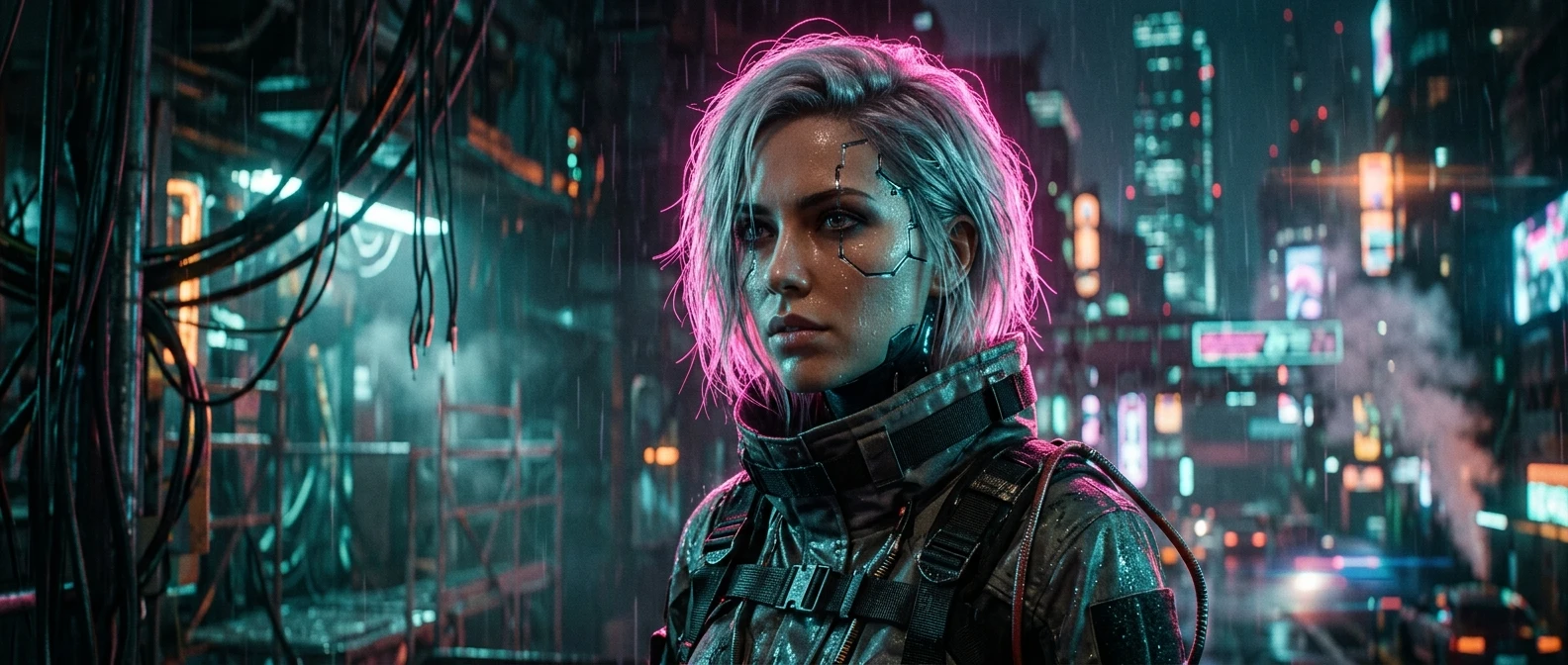
Most “cyberpunk portrait” prompts out there are a pile of mood words stacked on top of each other: neon, dystopian, futuristic, rain-soaked, cybernetic. Drop that into kre8or.ai and you’ll get something moody, sure, but the face will usually look flat, the lighting will fight itself, and the whole image will read as generic sci-fi rather than the sharp, lit-from-the-side, Blade Runner feeling you actually wanted. The fix isn’t more adjectives. It’s getting the tag order right so kre8or.ai knows what to prioritize and in what sequence.
This piece goes deep on one style and one tool’s syntax, so it assumes you already know the basics of writing an AI art prompt. If you haven’t yet, start with how to write AI art prompts that actually work and come back here once you’ve got the fundamentals down. What follows builds on that foundation and gets specific about cyberpunk portraits: the exact tag order, the lighting syntax, the color grading language, and three full prompts you can copy right now.
Why Cyberpunk Portraits Fall Apart With Generic Prompts
A cyberpunk portrait depends on three things working together at once: hard directional light, a narrow color palette, and a face that still reads as a face under all of it. Most prompts only describe one of those three, usually the color palette, and leave kre8or.ai to guess at the other two.
When you write “cyberpunk woman, neon lights, futuristic city,” you’ve told the model what mood to aim for but nothing about where the light is coming from, how strong it is, or what’s supposed to happen to skin tones under pink and cyan light sources. The model fills the gaps with whatever its defaults are, which usually means light coming from everywhere at once. That’s the opposite of what makes a cyberpunk portrait feel real: cyberpunk lighting is almost always harsh, directional, and colored, not soft and ambient.
The second failure point is sequence. kre8or.ai reads your prompt roughly left to right and weights earlier tags more heavily than later ones. If your lighting tags show up after a long list of scene description, by the time the model gets to them it has already committed to a composition that the lighting instructions now have to fight. Put the lighting in the wrong slot and you’ll often get blown-out highlights on the face or a muddy, underlit subject, even though the tag itself was correct.
The third failure point is mixing style language with camera language in no particular order, which confuses the model about whether it’s rendering an illustration or simulating a photograph. Cyberpunk portraits that look shot rather than painted need lens and framing tags handled as their own distinct group, not folded into the general description.
The Parameter Order kre8or.ai Actually Reads
kre8or.ai processes a prompt as a sequence of weighted tags, and the position of each tag in that sequence matters almost as much as the tag itself. For portrait work specifically, there’s a reliable order that keeps the subject sharp while still letting the style tags do their job:
- Subject and pose – who or what is in frame, and what they’re doing
- Style anchor – the visual genre, stated once, early, and not repeated later
- Lighting – the light source, its direction, and its color
- Color grade – the overall palette and tonal treatment
- Lens and camera – focal length, aperture, and any film or sensor language
- Framing and composition – crop, angle, and distance from subject
- Fine detail – skin texture, fabric, cybernetic details, anything granular
Keeping subject first means the model locks in facial structure and pose before it starts layering style on top, which is the single biggest factor in whether a portrait still reads as a portrait once you’ve pushed the cyberpunk styling hard. Style second tells kre8or.ai which visual rulebook to reach for before it processes anything else, so lighting and color grade tags that come later get interpreted through that lens instead of as generic instructions.
A prompt built in this order looks something like this before any tags are filled in:
[subject], [style anchor], [lighting], [color grade], [lens], [framing], [fine detail]
Every section below fills in one of those slots with language that’s specific to cyberpunk portraits, and the full prompts near the end put all seven pieces together.
One thing worth flagging: this order is for portraits specifically. Wide cyberpunk cityscapes or vehicle shots benefit from putting framing and scene scale earlier, since there’s no single face the model needs to protect. Portraits are different because you’re asking the model to balance a strong stylistic treatment against the much more fragile job of keeping a face looking like a face.
Lighting Tags That Give You Neon Glow Without Blowing Out the Face
Lighting is where most cyberpunk portraits go wrong, and it’s almost always for the same reason: the prompt describes the color of the light without describing its direction or intensity, so the model applies it evenly across the whole frame. Even light looks like a filter. Directional light looks like a scene.
Use a three-part lighting tag: source, direction, intensity.
- Source: name the actual light, not just the color. “Neon sign glow,” “holographic billboard light,” “LED strip lighting” all read differently to the model than just “neon lighting.”
- Direction: specify where it’s coming from relative to the face. “Side lighting from the left,” “rim lighting from behind,” “light from below” each produce a distinctly different portrait.
- Intensity: tell it how hard the light is. “Harsh,” “high contrast,” and “hard shadows” keep the light from softening out and flattening the face.
A lighting tag that reads “harsh magenta rim lighting from behind, cyan side fill from the left” gives kre8or.ai two light sources with two colors and two directions, which is exactly how most real cyberpunk film stills are lit: a cool key light and a warm or saturated rim light working against each other. That contrast is what keeps a face from disappearing into the neon rather than being carved out by it.
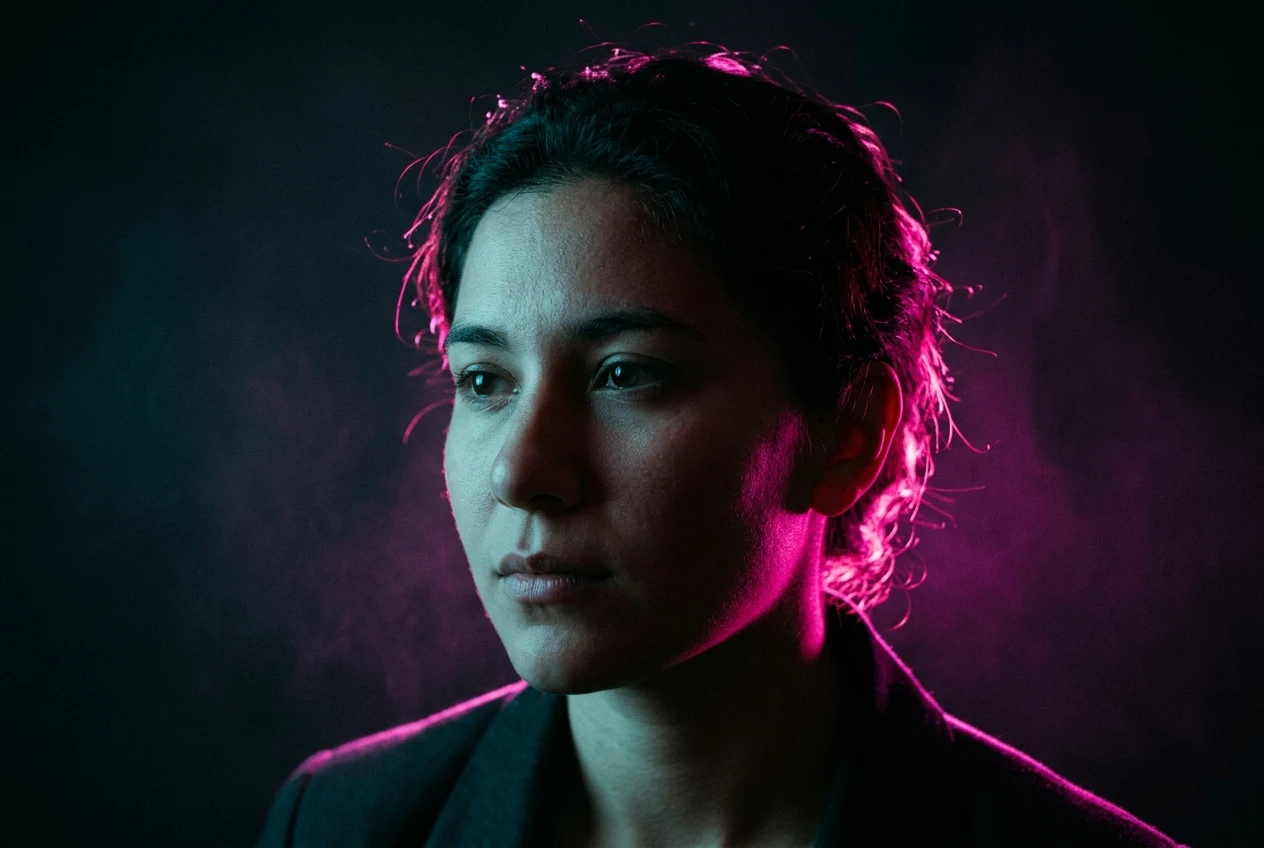
If you want glow without losing facial detail, add a modifier that protects the face specifically: “soft fill light on face” or “face lit, background in deep shadow.” This tells the model to keep the light treatment aggressive everywhere except where it would blow out skin detail, which is the single most useful trick for keeping cyberpunk portraits looking like portraits rather than silhouettes.
Avoid piling on more than two light sources in a single tag. Three or more colored lights in one prompt tends to produce a washed, directionless glow because the model has no clear hierarchy to follow. Two strong, named, directional lights beat four vague ones every time.
Color Grading Syntax for the Blade Runner Look
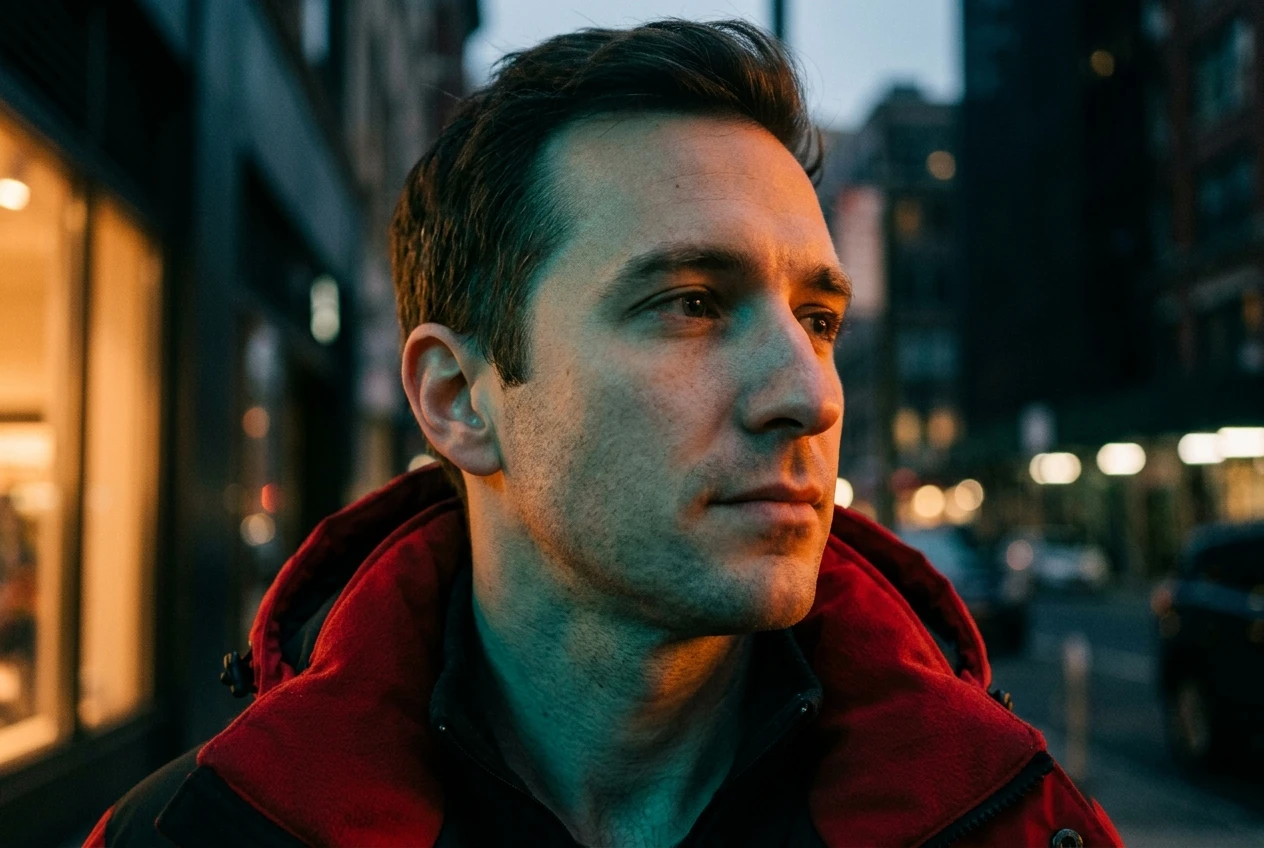
The Blade Runner palette isn’t just “neon colors.” It’s a specific, narrow relationship between warm and cool tones: teal or cyan shadows, orange or magenta highlights, and almost no pure white or neutral gray anywhere in the frame. Getting that relationship into your prompt means naming the shadow color and the highlight color separately rather than naming “the cyberpunk look” and hoping the model knows what you mean.
A reliable color grade tag has three parts: shadow tone, highlight tone, and overall saturation level.
- Shadow tone: “teal shadows,” “deep blue shadows,” “cyan-tinted dark areas”
- Highlight tone: “warm orange highlights,” “magenta highlight glow,” “amber skin highlights”
- Saturation level: “desaturated midtones, saturated highlights” keeps the grade from looking like an Instagram filter slapped over the whole image
Put this tag immediately after your lighting tag, not before it. Lighting and color grade are closely related but separate instructions, and putting color grade first sometimes causes kre8or.ai to apply the palette as a flat color wash before it’s worked out where the actual light sources are, which produces that oversaturated, everything-glows-the-same-amount look that reads as cheap rather than cinematic.
A useful phrase to add at the end of the color grade section is “cinematic color grade” or “film still color treatment,” which nudges the model toward the graded, slightly desaturated look of a movie frame rather than the punchier, more uniform saturation typical of digital illustration.
If your subject has a specific clothing color you want preserved, say so explicitly after the grade tag: “red jacket preserved under grade.” Without that instruction, strong teal-and-orange grading will often shift mid-saturation colors like red or green toward the nearest dominant hue in the palette, which can quietly change a character’s wardrobe color without you asking for it.
Lens and Framing Modifiers That Keep the Portrait Feeling Shot, Not Rendered
This is the section that separates a cyberpunk portrait that looks like a photograph from one that looks like concept art, and it’s the section most guides skip entirely because lens language feels technical rather than artistic. It’s also the fastest fix available if your renders keep coming out looking painted or overly smooth.
Lens tags should specify three things: focal length feel, depth of field, and any film or sensor characteristic.
- Focal length feel: “85mm portrait lens,” “35mm street photography lens.” The 85mm tag compresses the background and isolates the face, which suits a close cyberpunk portrait. The 35mm tag keeps more environment in frame, which suits a portrait that needs to show cybernetic implants or a cityscape behind the subject.
- Depth of field: “shallow depth of field, background blurred” keeps focus locked on the face even when the background is full of neon signage and competing light sources.
- Film or sensor character: “slight film grain,” “anamorphic lens flare,” “shot on cinema camera” all push the render toward photographic texture rather than the smoother, more uniform surface that illustration-style outputs default to.
Framing tags come right after lens tags and should specify crop and angle in plain terms: “close-up portrait,” “shoulders-up shot,” “slight low angle.” A low angle paired with hard rim lighting is one of the most reliable combinations for a confident, imposing cyberpunk character portrait, since it’s the same combination used constantly in the genre’s film references.
One modifier worth using deliberately: “shallow depth of field” paired with “neon bokeh in background.” This tells the model to render background light sources as soft, out-of-focus circles of color rather than sharp shapes, which is one of the clearest visual signals that an image is a photograph rather than a digital painting.
Three Full Prompts You Can Copy and Swap the Subject In
Each of these follows the seven-part order from earlier. Swap the subject description for your own character, keep everything after it intact, and you’ll get a consistent result you can compare against.
Prompt one: close portrait, hard rim light
Young woman with short silver hair and a faint neon face tattoo, cyberpunk portrait style, harsh magenta rim lighting from behind with cyan side fill from the left, teal shadows and warm orange highlights, desaturated midtones with saturated highlights, 85mm portrait lens, shallow depth of field with neon bokeh in background, close-up shot, slight low angle, fine skin texture with subtle sweat sheen, cinematic film grain
Prompt two: street-level, wider environment
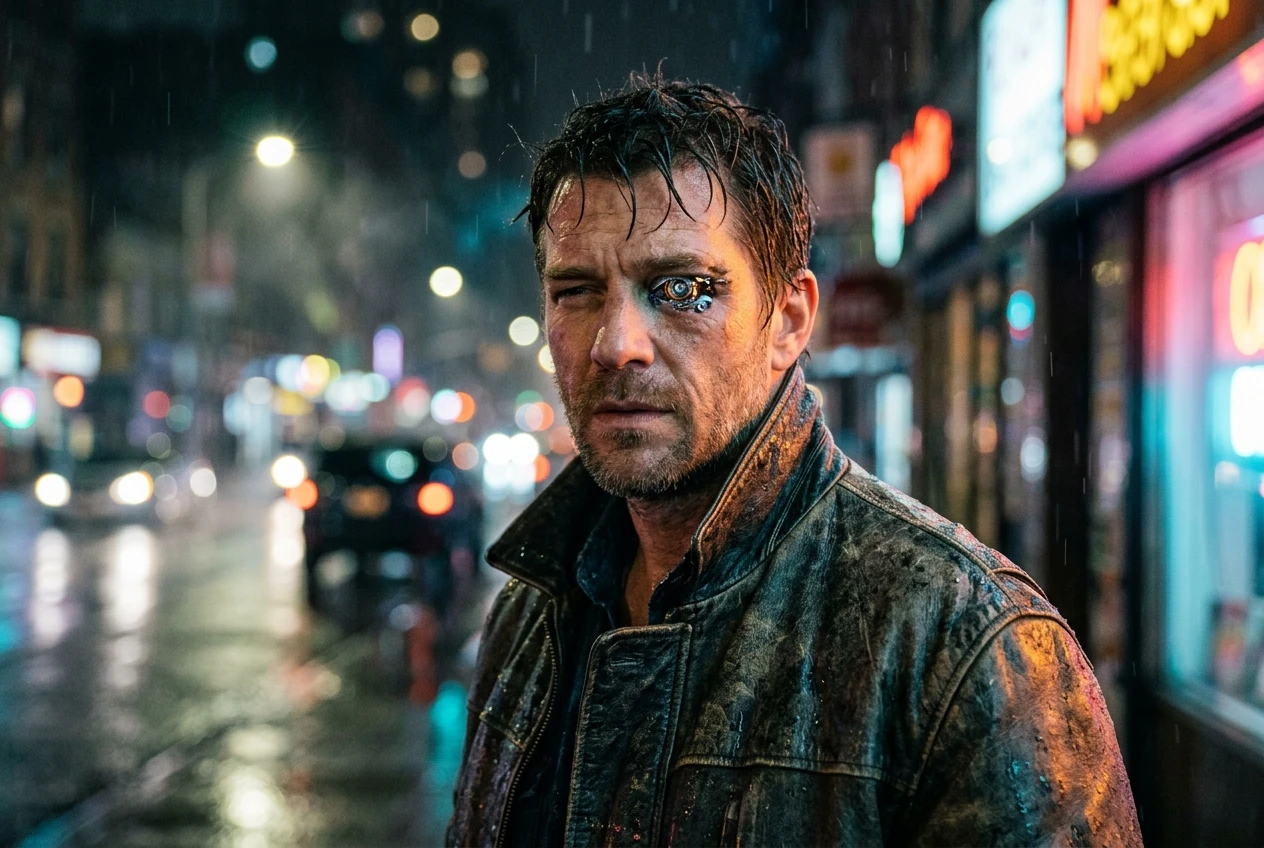
Man in a worn leather jacket with a glowing cybernetic eye, cyberpunk portrait style, neon sign glow from the right, hard shadows, cyan-tinted dark areas with magenta highlight glow, cinematic color grade, 35mm street photography lens, moderate depth of field with rain-soaked street visible behind subject, shoulders-up shot, straight-on angle, visible pores and stubble detail, light film grain
Prompt three: moody close-up with minimal background
Older man with graying hair and a chrome jaw implant, cyberpunk portrait style, soft fill light on face with deep shadow background, cool blue shadows and amber skin highlights, desaturated background with saturated subject, 85mm portrait lens, very shallow depth of field, close-up shot, slight high angle, weathered skin texture with scar detail, subtle anamorphic lens flare
Run all three with the same subject swapped in and you’ll see how much the lighting and lens sections change the outcome even when the subject description stays identical. That’s the clearest way to learn which combinations you personally prefer before you start writing your own from scratch.
Once you’ve run these as written, start changing one tag at a time rather than rewriting the whole prompt. Swap just the lighting direction, keep everything else fixed, and look at what changes. That’s the fastest way to build an intuition for which tags are doing the heavy lifting in this particular style.
Mistakes That Quietly Flatten the Cyberpunk Effect
A handful of small habits are responsible for most disappointing cyberpunk portraits, and none of them are obvious until you know to look for them.
Stacking too many style words. “Cyberpunk, futuristic, dystopian, sci-fi” in one tag doesn’t strengthen the style, it dilutes it, because the model has to average four overlapping concepts instead of committing fully to one. State the style once, clearly, and let the lighting and color tags do the rest of the work.
Naming colors without naming light sources. “Pink and blue lighting” tells the model a palette but not a scene. “Neon sign glow from the right, holographic ad light from above” tells it both a palette and a physical setup, which produces a far more convincing result.
Skipping the lens section entirely. Without any camera or film language, kre8or.ai defaults toward a smoother, more illustrated surface. If your cyberpunk portraits keep coming out looking like digital paintings instead of photographs, this is usually the missing piece.
Letting color grade override wardrobe and skin tone. A strong teal-and-orange grade without a preservation tag will shift reds toward orange and warm skin tones toward amber more aggressively than most people expect. If skin tone matters to the result, say so explicitly.
Overloading the fine detail section. Detail tags belong last for a reason: they’re refinements, not instructions the model should be weighing against subject and lighting. A long list of granular detail tags placed early in the prompt competes with subject and style for priority and tends to produce muddier results, not sharper ones.
Forgetting framing distance. “Portrait” alone doesn’t tell the model how close. “Close-up” and “shoulders-up” produce meaningfully different crops, and cyberpunk portraits generally read stronger tighter, since the genre depends on facial detail like implants, tattoos, and glowing eyes reading clearly.
Each of these is a one-tag fix once you know where to look, which is really the whole point of working from a fixed parameter order instead of a loose pile of mood words. You’re not hoping the model guesses right. You’re telling it, in the order it reads, exactly what you want.
Open a free kre8or.ai account and run these exact prompts to see the parameter order in action.