

10 Anime Style Prompts, Built and Tested in kre8or.ai
Typing “anime style” into kre8or.ai gets you something. It just will not be the something you pictured. The model has seen thousands of anime subgenres stacked on top of each other, from shonen battle shows to soft Ghibli countryside scenes to glossy modern digital portraits, and with no other direction it averages them into a generic cartoon face with big eyes and flat color. That average is nobody’s favorite anime. It is the visual equivalent of asking for “music” and getting elevator jazz.
The fix is not a longer prompt for the sake of length. It is naming the specific sub-style, the line work, the shading method, and the light, in that order, so the model has something to lock onto instead of guessing. Below are ten prompts built and tested inside kre8or.ai, written out exactly as typed, along with the one word in each that was swapped afterward and what changed when it was. Treat these as starting points for your own anime style ai prompts, not as a locked recipe.
The Classic Shonen Look: 3 Prompts Built and Tested
Shonen covers the big battle shows, the ones with bold outlines, flat saturated color, and characters who look like they are always mid-fight even when standing still. Three prompts below target three pieces of that look: the hero portrait, the action shot, and the printed manga panel.
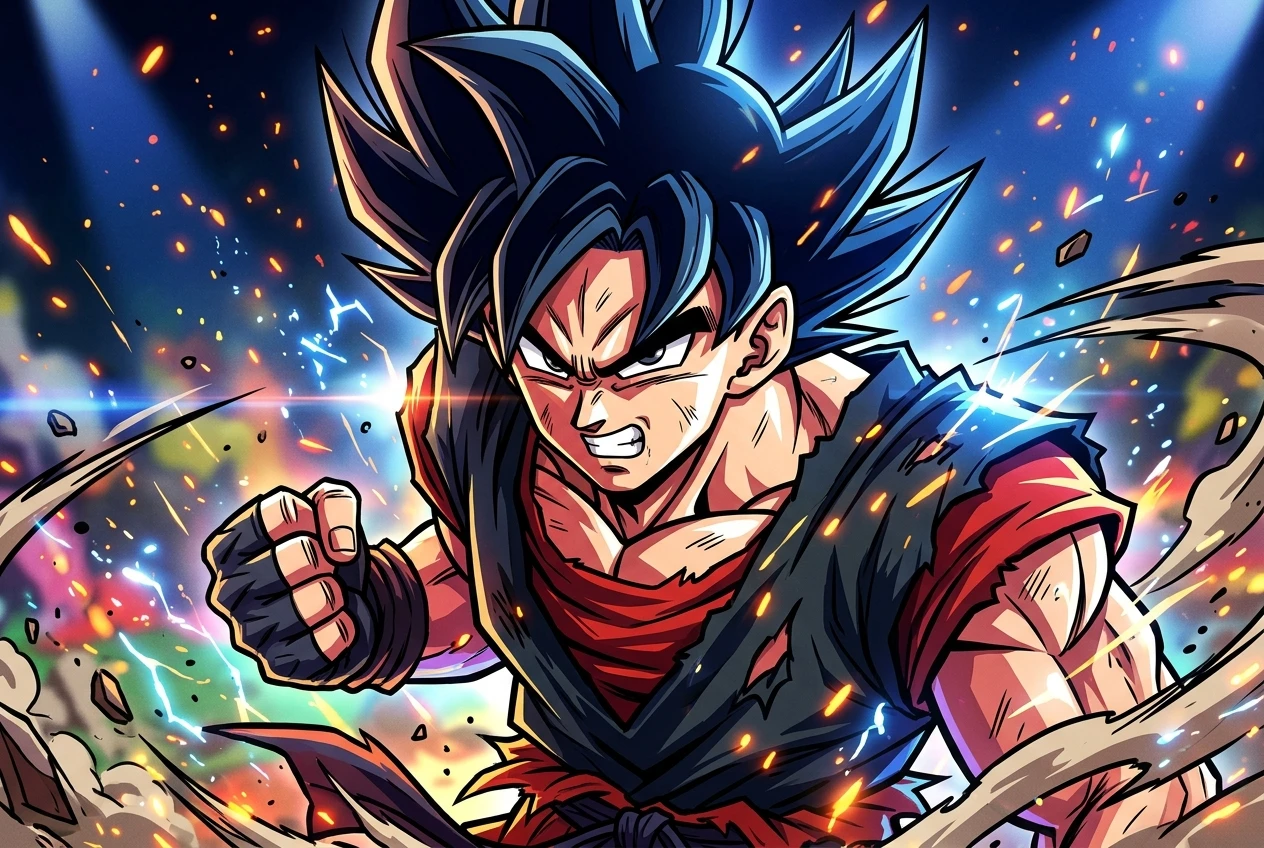
Cel-shaded hero portrait
anime style cel-shaded hero portrait, spiky hair, determined expression, bold black outlines, flat saturated colors, dynamic action pose, studio lighting, high contrast shadows
This one gives a clean character portrait with the hard-edged shading shonen is known for: color blocks instead of gradients, and a visible line separating light from shadow on the face. Swapping “flat saturated colors” for “flat pastel colors” kept the cel-shading but softened the whole image toward a gentler kids’ show look, proof that the color instruction, not the shading instruction, carries most of the mood.
Battle speed lines
anime style battle scene, cel-shaded warrior mid-strike, radiating speed lines, motion blur on limbs, dramatic diagonal composition, bold black outlines, high contrast lighting, dust particles in the air
The speed lines are what sell the motion here, those sharp radiating streaks behind the figure that every shonen fight panel uses to suggest speed without actually animating anything. Swap “radiating speed lines” for “radiating energy aura” and the streaks disappear entirely, replaced by a soft glowing outline around the character. It is a different trope from a different shelf of anime, and it shows how much weight a single noun phrase carries in these anime style ai prompts.
Manga screen-tone panel
anime style manga panel, black and white screen-tone shading, halftone dots, heavy ink outlines, dramatic close-up on character's eyes, panel border, high contrast
This prompt is built for the printed-page look rather than the colored-anime look: dot-pattern shading standing in for gray tones, thick ink lines, a panel border like something cut straight from a manga volume. Swapping “black and white” for “sepia tone” kept the halftone dots and the ink outlines but shifted the whole image toward an aged, old-print feel, as if the panel had yellowed on a shelf for thirty years.
The Soft Ghibli Side: 2 Prompts for Pastel Worlds and Quiet Scenes
Where shonen is sharp and loud, Ghibli-inspired anime style is soft and quiet. The shading is closer to watercolor than cel-shading, the palette leans pastel, and the lighting does most of the emotional work.
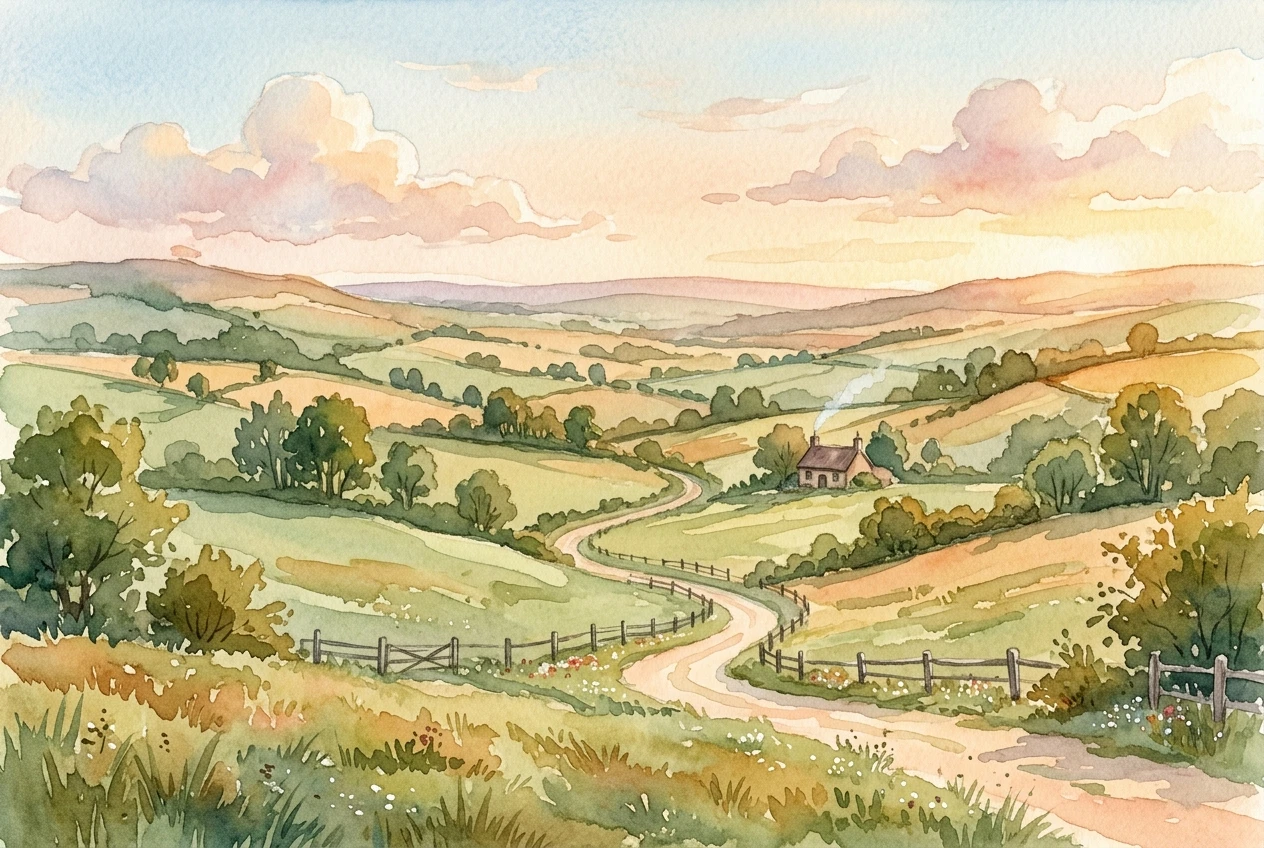
Pastel landscape
Ghibli-inspired anime style, soft pastel color palette, lush countryside landscape, hand-painted watercolor texture, warm afternoon light, gentle brush strokes, whimsical atmosphere
This gives a wide, open scene with visible brush texture rather than clean digital lines, closer to a painted background than a character illustration. Swapping “lush countryside landscape” for “quiet seaside village” kept every other instruction intact and simply moved the setting, which confirms that the style instructions (pastel palette, watercolor texture, warm light) are doing the stylistic work while the subject phrase just tells it where to point the camera.
Quiet interior scene
Ghibli-inspired anime style, soft pastel colors, quiet interior scene, character reading by a window, warm natural light, hand-painted texture, muted shadows, cozy atmosphere
This is a smaller, more intimate scene than the landscape version, built around stillness rather than scenery. Swapping “warm natural light” for “soft overcast light” pulled the mood from cheerful afternoon toward something quieter and a little melancholic, with grayer shadows and a dimmer window glow. Light direction and temperature are two of the cheapest, highest-impact words you can change in any of these prompts.
Modern Digital Anime: 2 Prompts for Sharp Portraits and Dark Fantasy Characters
This is the style most people picture when they think of current anime-adjacent digital art: clean vector-sharp lines, gradient lighting instead of flat cel blocks, and a level of rendering detail that older hand-drawn anime never attempted.
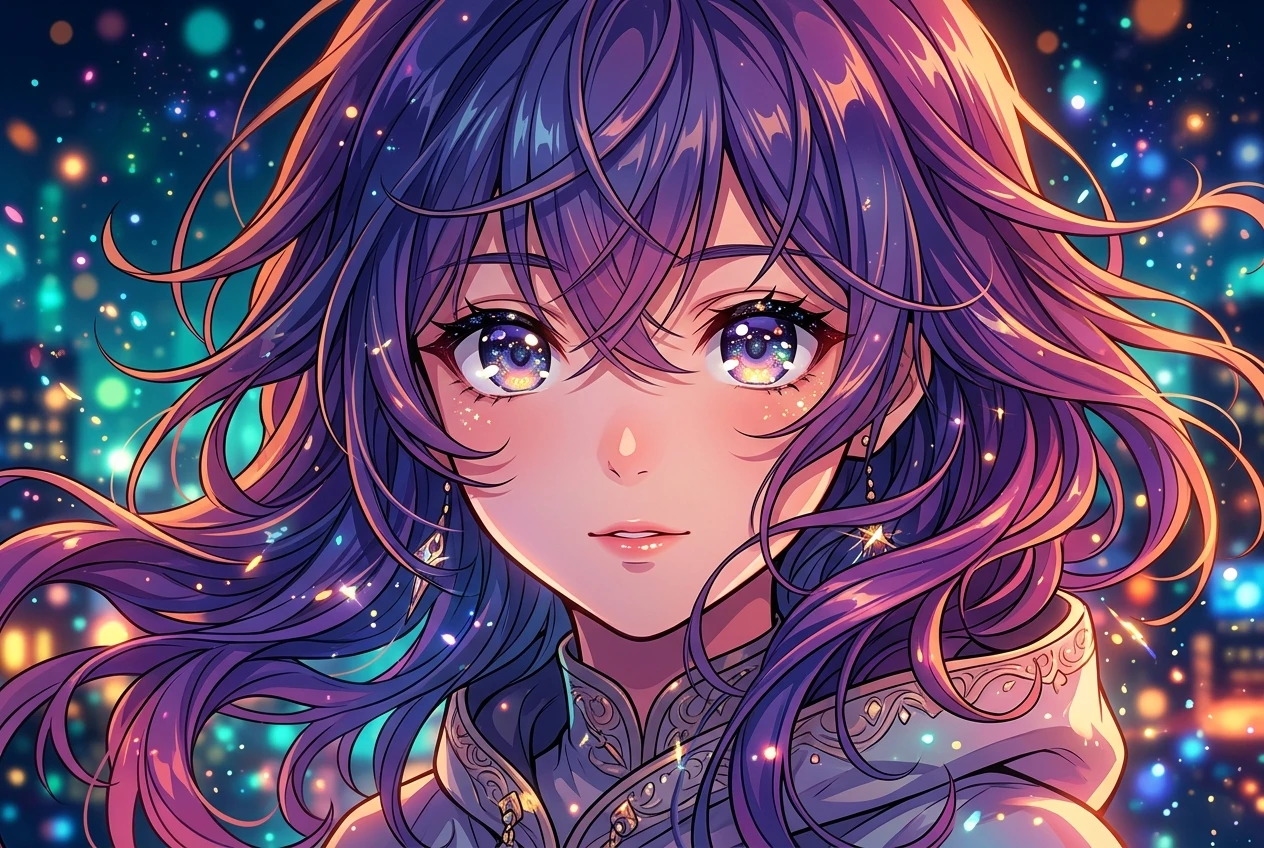
Sharp portrait
modern digital anime style, sharp clean linework, vibrant gradient lighting, detailed hair strands, glossy eyes, smooth cel shading, portrait close-up, vivid color palette
The “glossy eyes” instruction is doing more work than it looks like it should. Anime eyes get their signature sparkle from a bright highlight and a reflective sheen, and swapping “glossy eyes” for “matte eyes” flattened that highlight out almost completely, leaving a portrait that technically has the same line work and color but reads as noticeably less “anime” at a glance. If a modern digital anime portrait looks off and you can’t place why, check the eyes first.
Dark fantasy character
modern digital anime style, dark fantasy character design, ornate armor, dramatic rim lighting, deep shadows, muted color palette, sharp linework, moody atmosphere, intricate details
Rim lighting and deep shadow are the two instructions carrying the mood in this one, outlining the character against the dark rather than lighting them evenly. Swapping “muted color palette” for “jewel-tone color palette” kept the armor detail and the rim lighting but replaced the grim, washed-out feel with something richer and more saturated, closer to a fantasy card illustration than a dark fantasy one. Same bones, completely different emotional read, just from one adjective.
Cute and Niche Styles: Chibi Mascots and Retro VHS Anime
Not every anime style ai prompt needs to aim for a hero or a landscape. Chibi and retro VHS sit at opposite ends of the anime spectrum, one exaggerating cuteness, the other leaning into imperfection on purpose.
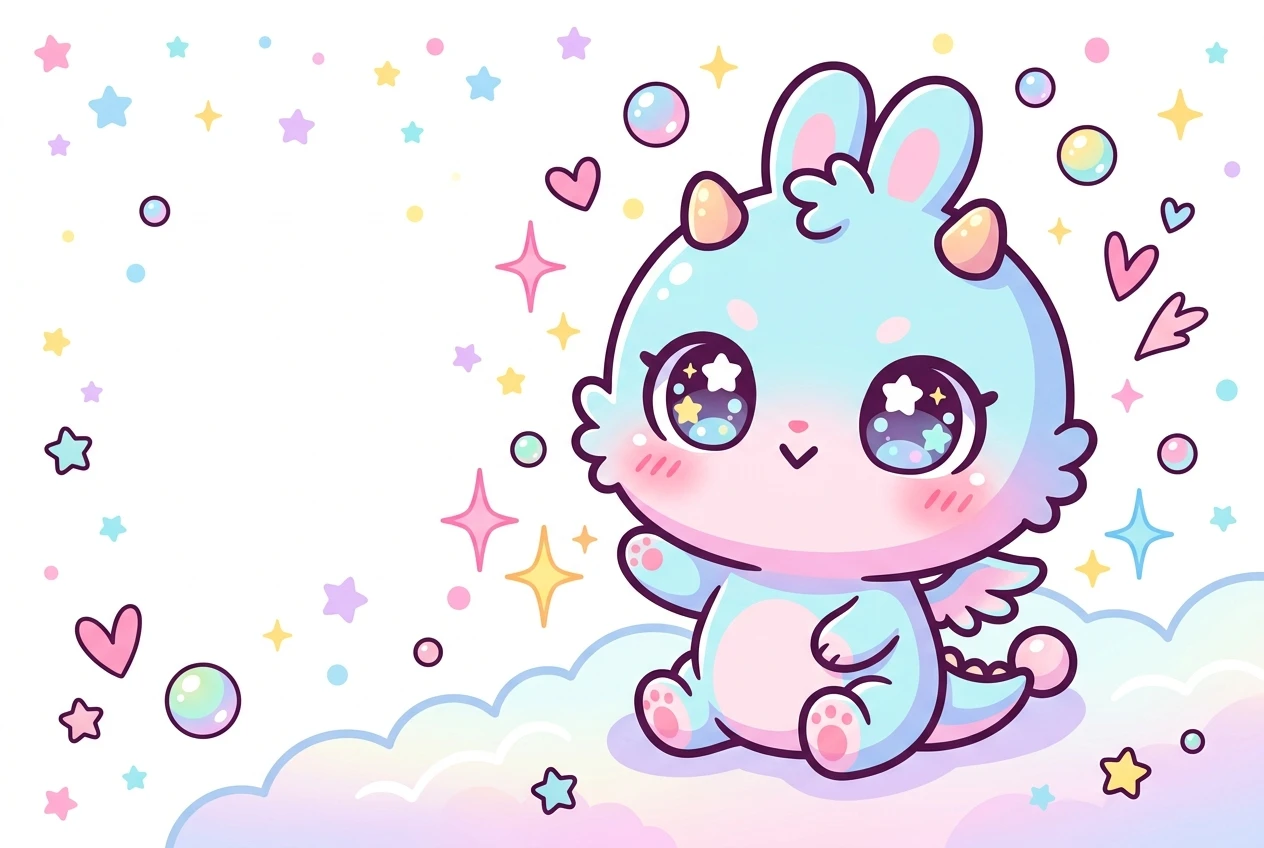
Chibi mascot
chibi anime style, small round body, oversized head, big sparkling eyes, simple rounded features, bright flat colors, cute mascot pose, clean white background
Chibi works by exaggerating proportions rather than changing line style, so the “oversized head” and “small round body” instructions are the ones actually producing the chibi effect. Swapping “clean white background” for “simple sticker background with thick white outline” turned the output into something that reads as sticker-ready art rather than a standalone illustration, with a visible border hugging the character’s silhouette. Useful to know if you’re building a set of mascot stickers rather than one-off art.
Retro VHS anime
retro 1980s anime style, VHS scan lines, grainy film texture, muted faded colors, soft glow, nostalgic lighting, analog film grain, vintage anime character design
This one deliberately works against the sharpness that modern digital anime chases. The scan lines and film grain introduce imperfection on purpose, and the muted, faded color gives it the washed-out look of an old recorded tape rather than a fresh digital file. Swapping “muted faded colors” for “vivid neon colors” kept the scan lines and grain but pushed the whole image toward a different territory entirely, closer to a neon-lit cyberpunk anime look than a faded VHS one. That neon direction is its own well-tested category, covered in full in Cyberpunk Portraits in kre8or.ai: The Exact Prompt Syntax That Works, so it’s worth a separate look rather than cramming it in here.
Anime Beyond Characters: A Still-Life Food Illustration Prompt
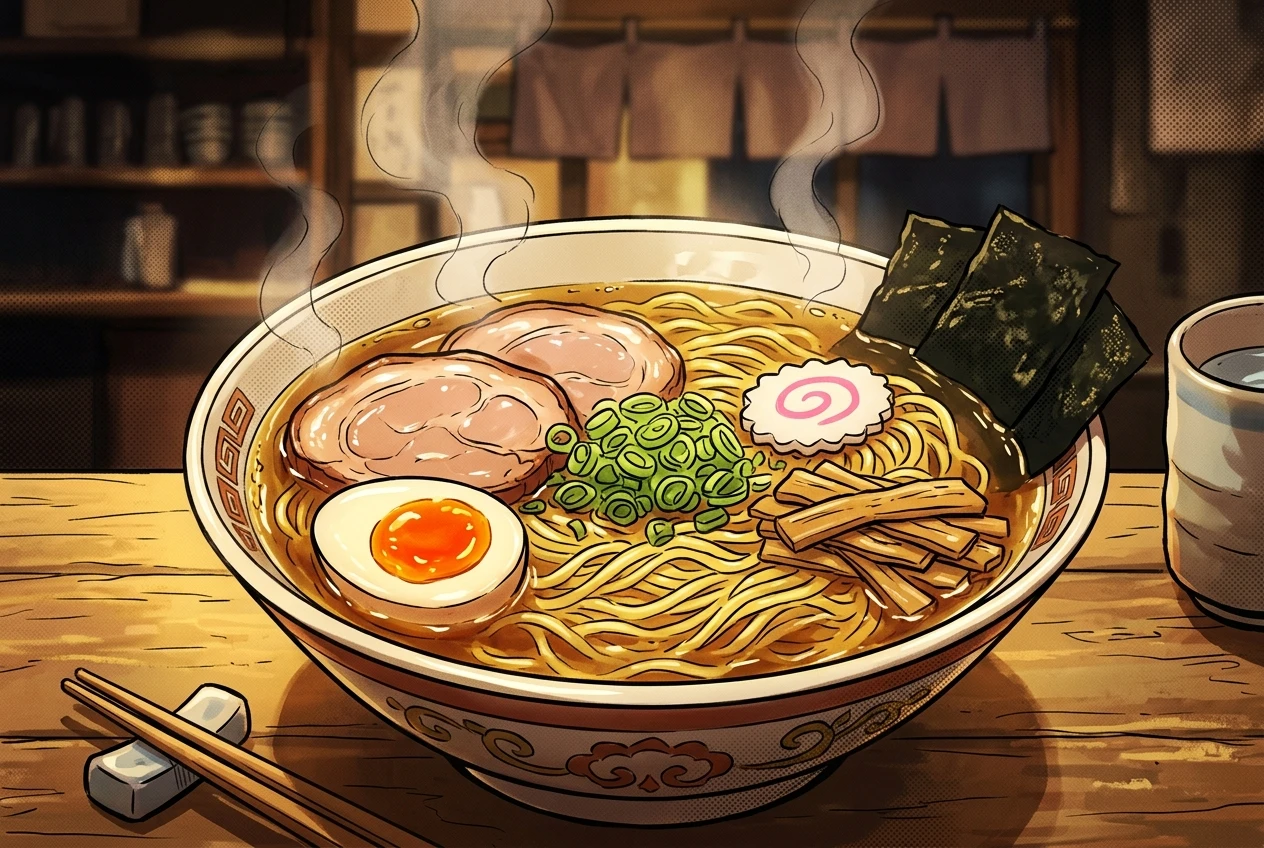
Anime style doesn’t have to mean a character at all. Food illustration is a genuinely popular corner of anime art, the kind of steaming ramen bowl or sparkling dessert shot that shows up constantly in slice-of-life shows.
anime style still-life illustration, bowl of ramen, steam rising, cel-shaded highlights, bold outlines, warm color palette, manga background screentone, appetizing lighting
The cel-shaded highlights and bold outlines carry the anime identity here even though there’s no face or body in the frame at all, which is worth noticing: the style markers are about rendering technique, not subject matter. Swapping “steam rising” for “soft glow” removed the sense of motion and heat entirely, leaving a calmer, more static image that reads less like a fresh bowl and more like a painted menu illustration. If movement matters to your scene, say so directly rather than assuming the shading instructions will imply it.
The Syntax Pattern Behind All 10 Prompts
Lay all ten prompts next to each other and the same structure shows up every time: a style anchor first (shonen, Ghibli-inspired, modern digital, chibi, retro VHS), the subject second, then a run of specific instructions covering line work, shading method, color palette, and light. Atmosphere or texture words come last, and they’re the ones doing the fine-tuning once the bigger structural choices are already locked in.
That order matters more than it looks like it should. Put “anime style” at the start with nothing else specific and the model has to guess which of dozens of anime subgenres you mean, which is exactly the generic-cartoon problem this whole approach is built to avoid. Name the sub-style first, and every word after it has something concrete to attach to.
Cyberpunk anime sits inside this same pattern, it’s really a modern digital anime style with a specific set of color, lighting, and detail words swapped in, neon palettes, chrome and glass textures, rain-slicked reflections. Rather than squeeze that whole category into a single paragraph here, it gets the full treatment, syntax and all, in Cyberpunk Portraits in kre8or.ai: The Exact Prompt Syntax That Works.
If you want the broader method behind building prompts like these rather than ten finished examples, Graphic Prompts That Turn Any Idea Into Art on kre8or.ai walks through how to structure a prompt from scratch for any subject, anime or otherwise.
Open kre8or.ai and paste in any of these ten prompts exactly as written, then tweak one word at a time to find your own anime style.