
10 AI Art Prompts Total Beginners Can Copy and Paste Today
Typing your first AI art prompt feels like standing in front of a blank page with too many options. Do you need special words? A certain order? Technical terms you’ve never heard of? The honest answer is no, not for your first ten images. You need a prompt that works, and the ten below are built to do exactly that the moment you paste them into kre8or.ai.
Each one is written in plain English, each one covers a different style, and none of them require you to understand prompt syntax, camera terms, or art movements first. Copy one, paste it in, and watch what comes back. The craft can come later.
Why Your First Prompt Doesn’t Need to Be Clever
A lot of beginners assume a good prompt has to sound like a spell, packed with odd modifiers and strings of commas that only an expert would know to use. That assumption stops people before they even try. The truth is that a clear, specific sentence beats a clever one every time, especially on your first attempt.
What actually matters for a first image is naming the subject, describing how it looks, and giving the tool a general sense of mood or style. That’s it. kre8or.ai is built to take a plain description and turn it into a finished piece, so your job is to be clear, not to be fancy.
Think of these first ten prompts as training wheels. They’re specific enough to produce a strong result on the first try, but simple enough that you’ll start to notice the pattern behind them. Once you see that pattern, you’ll be able to write your own variations without thinking twice.
The Simple Formula Behind Every Prompt on This List
Every prompt below follows the same basic shape: subject, description, style. The subject is who or what is in the image. The description adds details like color, clothing, setting, or expression. The style tells the tool what overall look you’re going for, whether that’s photorealistic, painted, cartoon, or something else entirely.
Here’s what that looks like in practice: “a red fox, sitting in a snowy forest at sunrise, painted in a soft watercolor style.” Subject: the fox. Description: snowy forest, sunrise. Style: watercolor. That’s the whole formula, and it’s the backbone of every prompt you’re about to copy.
Once this pattern clicks, you’ll start reading other people’s prompts differently. You’ll notice the same three pieces showing up again and again, just dressed in different words. That’s the first real skill of prompting, and you’re about to practice it ten times over.
Portraits and People: Two Prompts to Start With
Portraits are one of the most satisfying places to start because the results feel personal right away. These two prompts give you a strong, usable image without asking you to specify lighting setups or camera angles.
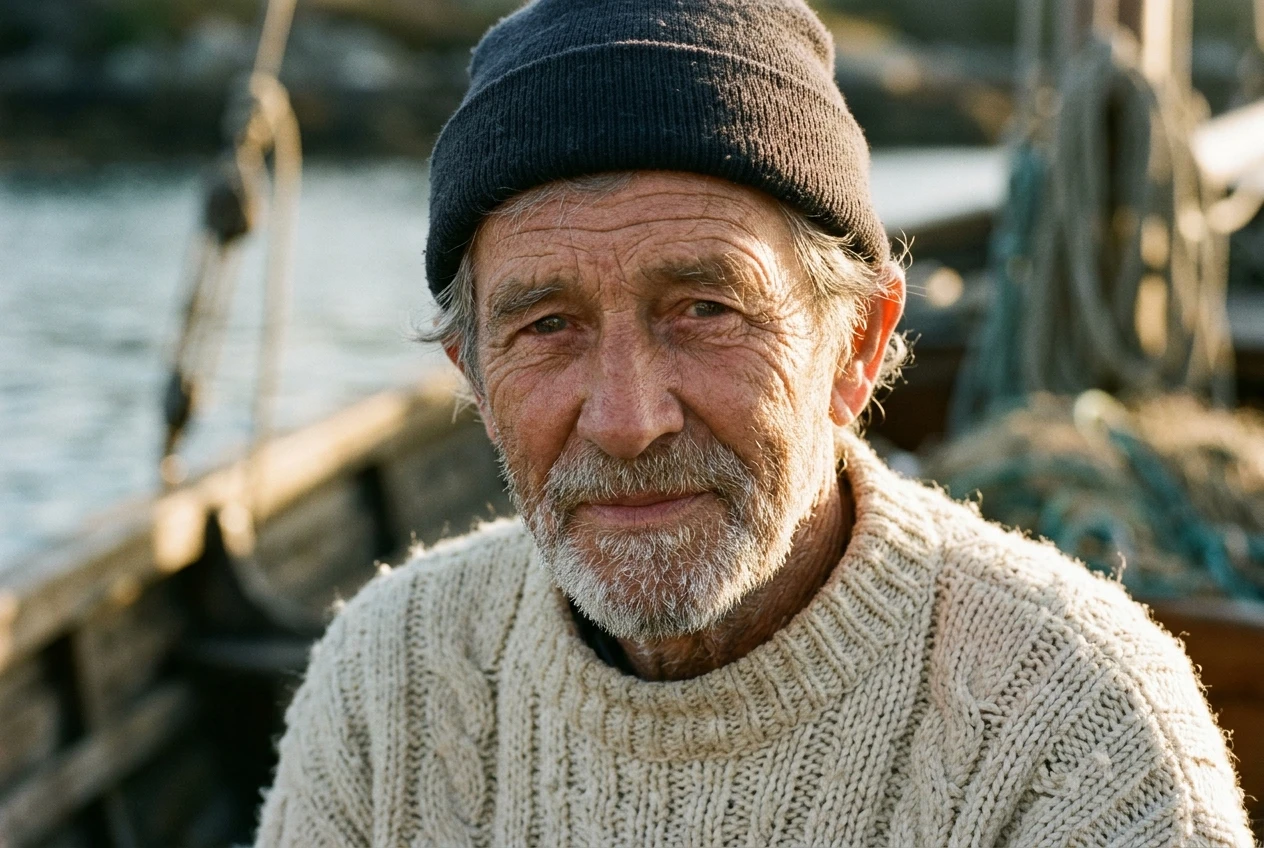
- “A close up portrait of an elderly fisherman with a weathered face and kind eyes, wearing a wool sweater, soft natural lighting, photorealistic style.”
- “A young woman with curly red hair, laughing, wearing a yellow sundress in a flower field, bright and cheerful, digital painting style.”
Both prompts name the subject clearly, add just enough visual detail to guide the tool, and close with a style instruction so the final image has a consistent look rather than a confused mix of several.
If portraits turn out to be your favorite subject, it’s worth looking at how far the same formula can be pushed once you add more specific styling. Cyberpunk Portraits in kre8or.ai: The Exact Prompt Syntax That Works walks through the next level of detail for this exact category, once you’re ready for it.
Landscapes and Dreamscapes: Two Prompts for Atmosphere
Landscapes are forgiving for beginners because there’s no face to get wrong and no pose to describe. You’re really just setting a scene and a mood, which makes this category a good place to practice the “description” part of the formula.
- “A quiet mountain lake at dawn, mist rising off the water, pine trees along the shore, soft pastel colors, painterly style.”
- “A surreal floating island with waterfalls pouring into clouds below, glowing purple sky, fantasy digital art style.”
The first prompt leans realistic and calm. The second leans imaginative and strange. Running both through kre8or.ai back to back is a good way to see how much the style instruction at the end changes the entire feel of the output, even when the subject matter (a landscape) stays similar in structure.
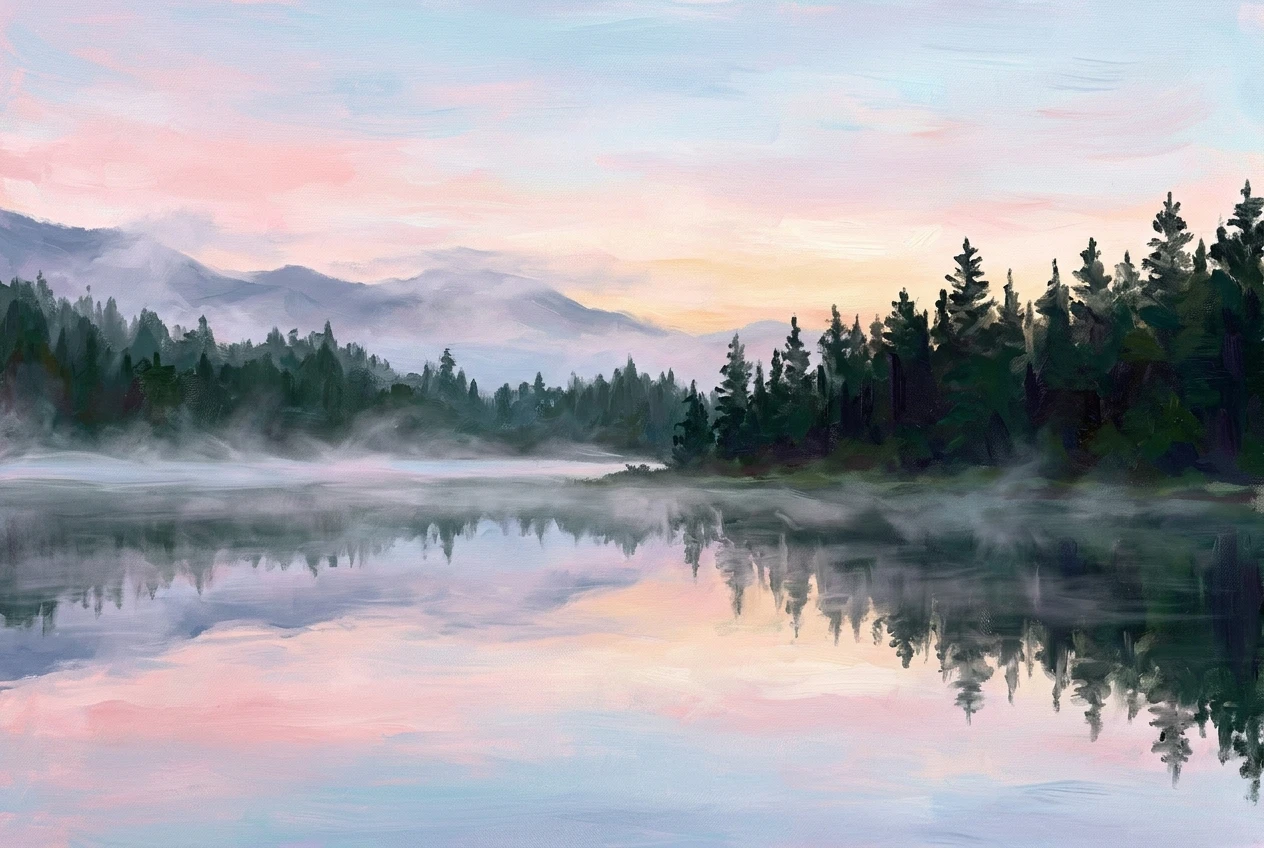
Pay attention to how each one names a time of day, a light source, or a weather condition. Those small details do a lot of the work in making a landscape feel alive instead of generic, and they’re easy to swap out once you want to try your own version.
Fantasy Creatures and Characters: Two Prompts for Imagination
This is where a lot of beginners have the most fun, because you’re not describing anything that exists in the real world, which means there’s no wrong answer to compare your result against.
- “A friendly dragon with iridescent scales curled up in a cozy cave filled with glowing crystals, warm lighting, fantasy illustration style.”
- “A steampunk robot owl with brass gears and glowing blue eyes, perched on a tree branch at night, detailed digital art style.”
Notice that both prompts still follow the same subject, description, style formula. The subject just happens to be invented rather than something you could photograph. “Iridescent scales” and “brass gears” are the kind of specific detail that gives the tool something concrete to render, even though the creature itself is fictional.
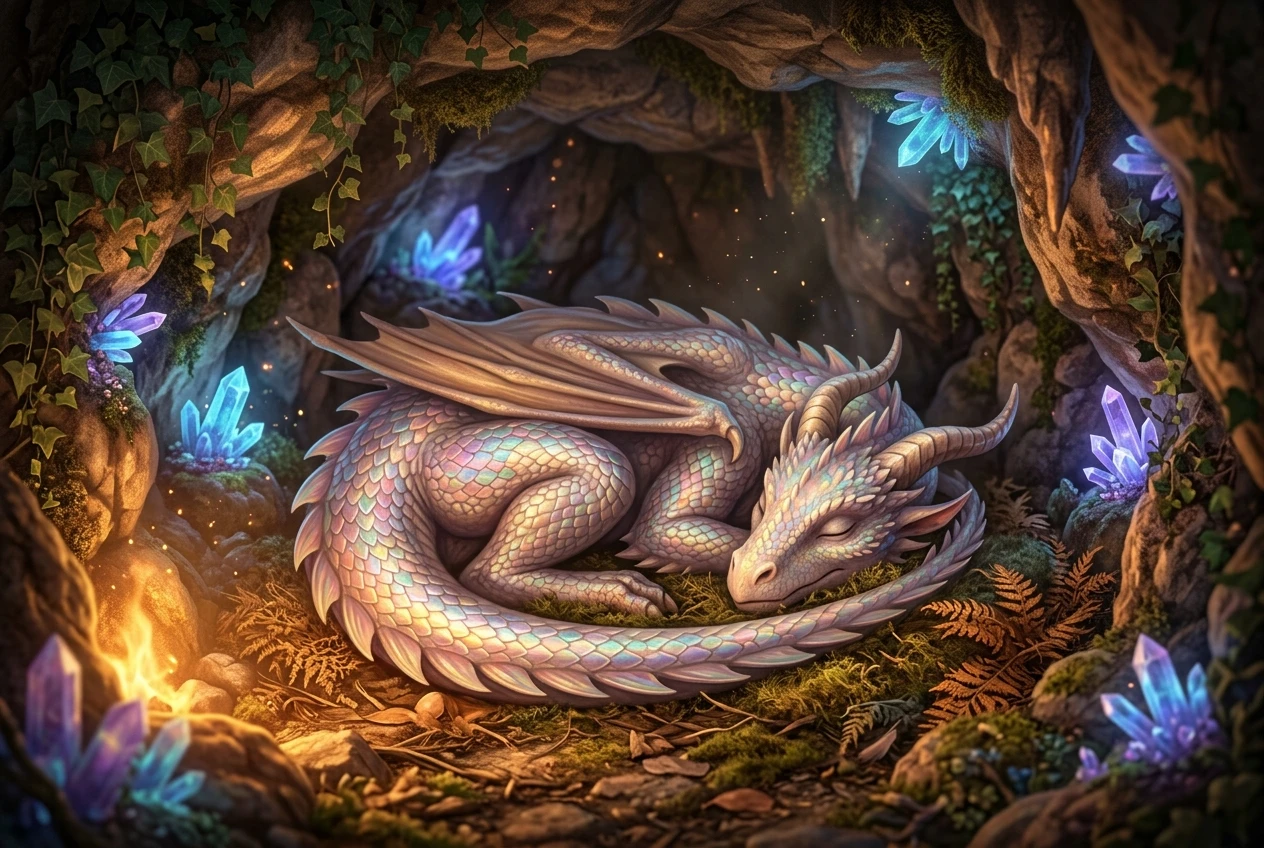
This category is a good testing ground for your own ideas once you’ve run through the examples here. Swap “dragon” for any creature you can picture, keep the same sentence structure, and you’ll likely get a usable result on the first attempt.
Logos, Icons and Product Shots: Two Prompts for Practical Use
Not every AI art prompt needs to be decorative. Some of the most useful ones solve a real, practical problem, like needing a logo concept or a clean product image without hiring a designer or a photographer.
- “A minimalist logo of a mountain inside a circle, flat design, two colors, clean lines, vector style.”
- “A product photo of a ceramic coffee mug on a white background, soft studio lighting, commercial photography style.”
These prompts are shorter on atmosphere and longer on precision, because that’s what the task calls for. A logo prompt benefits from words like “flat,” “minimalist,” and “vector style” because those terms steer the output away from anything too busy or painterly. A product shot benefits from naming the background and lighting directly, since that’s what makes it look usable rather than like a random image.

If you’re building anything for a Hub, whether that’s a logo idea, a mockup, or a simple product visual, this pair of prompts is worth bookmarking. They’re the closest thing on this list to a template you’ll reuse often.
Abstract and Poster Art: Two Prompts for Instant Wow
Abstract and poster style prompts are the easiest way to get a striking, shareable image without worrying about whether a face or an animal looks “right.” There’s no realism to judge, which takes the pressure off completely.
- “An abstract explosion of color with swirling gold, deep blue, and crimson shapes, high contrast, dramatic, modern art style.”
- “A retro travel poster for a tropical beach, bold flat colors, sun and palm trees, 1960s advertising style.”
The abstract prompt leans on color names and mood words like “dramatic” and “high contrast” to shape the final look. The poster prompt borrows a specific design era, “1960s advertising style,” to instantly give the image a recognizable visual language without needing to describe every element by hand.
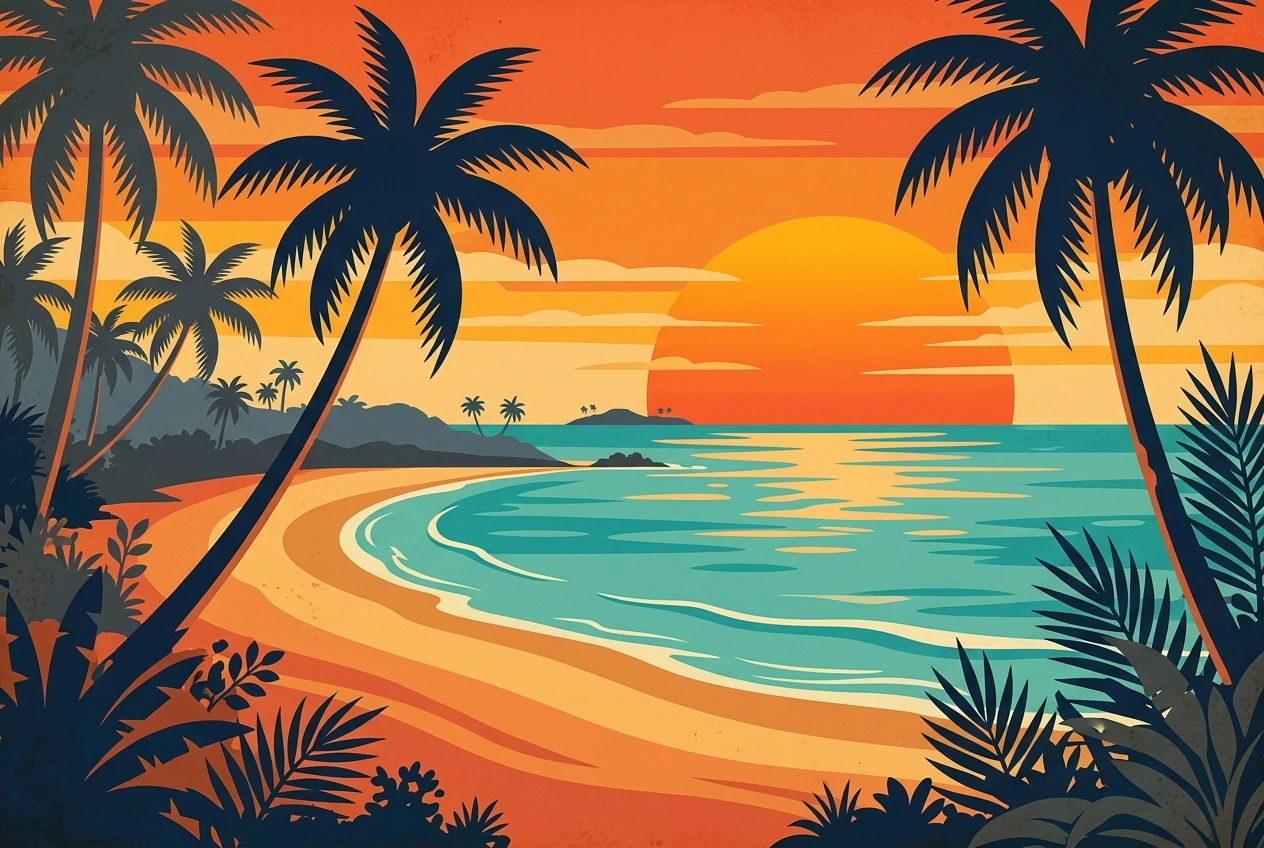
This pair is a good reminder that naming a style, an era, or a genre can do more work than a long list of individual details. One well-chosen phrase, like “retro travel poster,” carries a whole set of visual assumptions that the tool already understands.
Where to Go Once You’ve Mastered These Ten
Running through all ten of these prompts will give you a feel for how subject, description, and style work together, and you’ll likely start noticing which combinations you’re drawn to. Maybe it’s the fantasy creatures, maybe it’s the clean product shots. That instinct is worth paying attention to, because it points toward the direction you’ll want to develop first.
From here, the next step is learning how to adjust a prompt deliberately rather than by accident, swapping one word and understanding exactly why the image changed. Graphic Prompts That Turn Any Idea Into Art on kre8or.ai covers that next layer, showing how small, intentional changes to wording shift an image’s mood, composition, and detail level.
You don’t need to memorize anything before you try this, and you don’t need a reason beyond curiosity. Open kre8or.ai and paste in your first prompt from this list to see your own result in seconds.