


Turn Rundown Listings Into Dream Homes With AI Prompts
Buyers decide whether a listing is worth a visit in the first few seconds of scrolling through photos. A cluttered counter, a dim hallway, or a lawn that needs mowing can push a scroll-past before the agent’s description ever gets read. Fixing those problems used to mean hiring a stager, scheduling a painter, or waiting weeks for a professional shoot. With the right prompts on kre8or.ai, you can transform the photos you already have tonight.
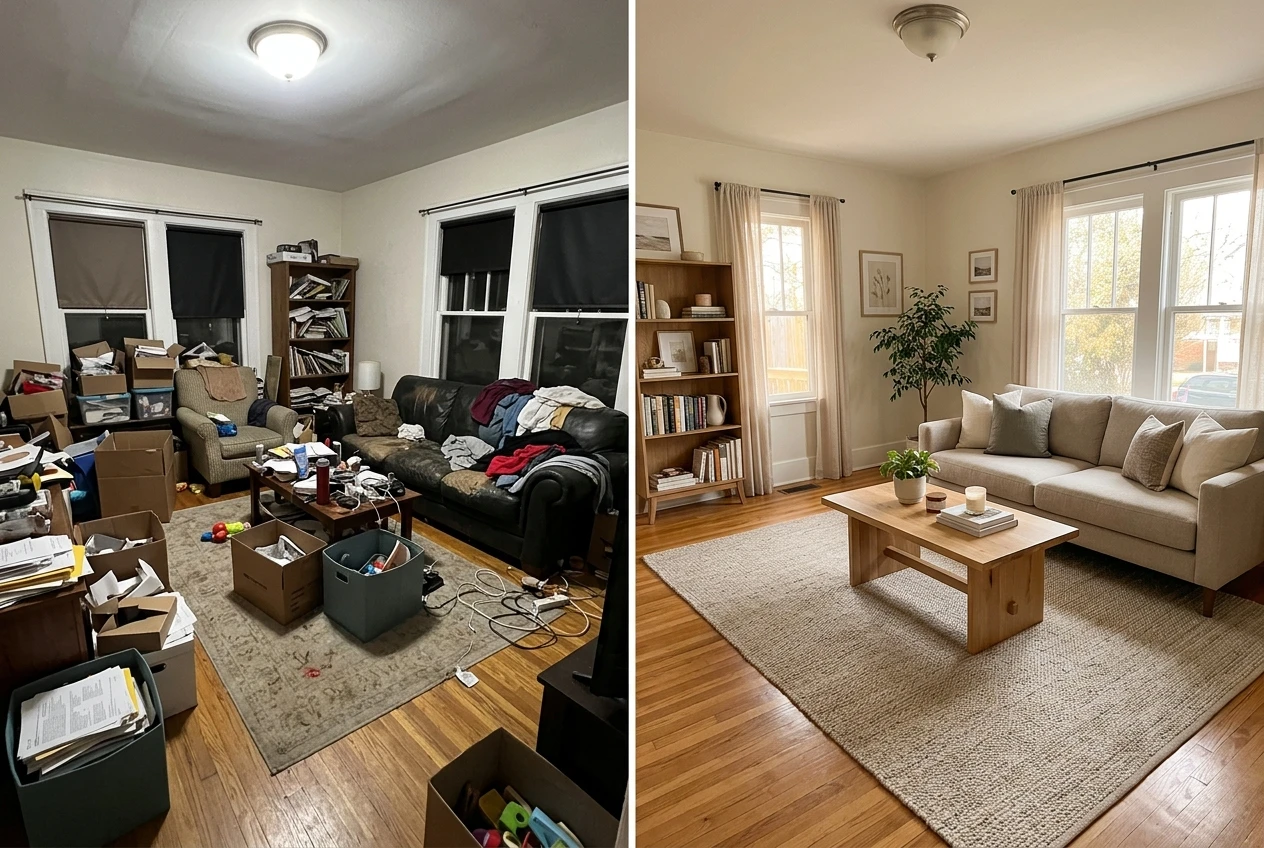
This article gives you the exact prompt structure for turning rundown listing photos into bright, move-in-ready images: decluttering, virtual staging, curb appeal fixes, and before-and-after renovation shots that help buyers see potential instead of problems.
Why Listing Photos Make or Break a Sale
Most buyers browse listings online long before they book a showing, and the photos are doing all the persuading. A room that looks dark, messy, or dated signals work and expense, even if the bones of the house are solid. A room that looks bright, open, and finished signals a quicker move-in and an easier decision.
The gap between a mediocre photo and a compelling one is rarely about the room itself. It’s about what the camera caught: the laundry basket in the corner, the harsh overhead light, the bare walls that make a living room feel unfinished. Those are fixable in the photo, even when they can’t be fixed on-site before your shoot.
That’s the opening for AI prompts to transform real estate photos. You’re not inventing a house that doesn’t exist. You’re showing buyers the version of the room that’s already possible, cleared of the things standing in its way.
The Prompt Formula: Describe the Room, the Problem, and the Fix
Every effective transformation prompt in kre8or.ai follows the same three-part shape: what the room is, what’s wrong with the photo, and what you want changed. Skip any one of the three and the result drifts, either changing too little or changing things you didn’t ask for.
A reliable structure looks like this:
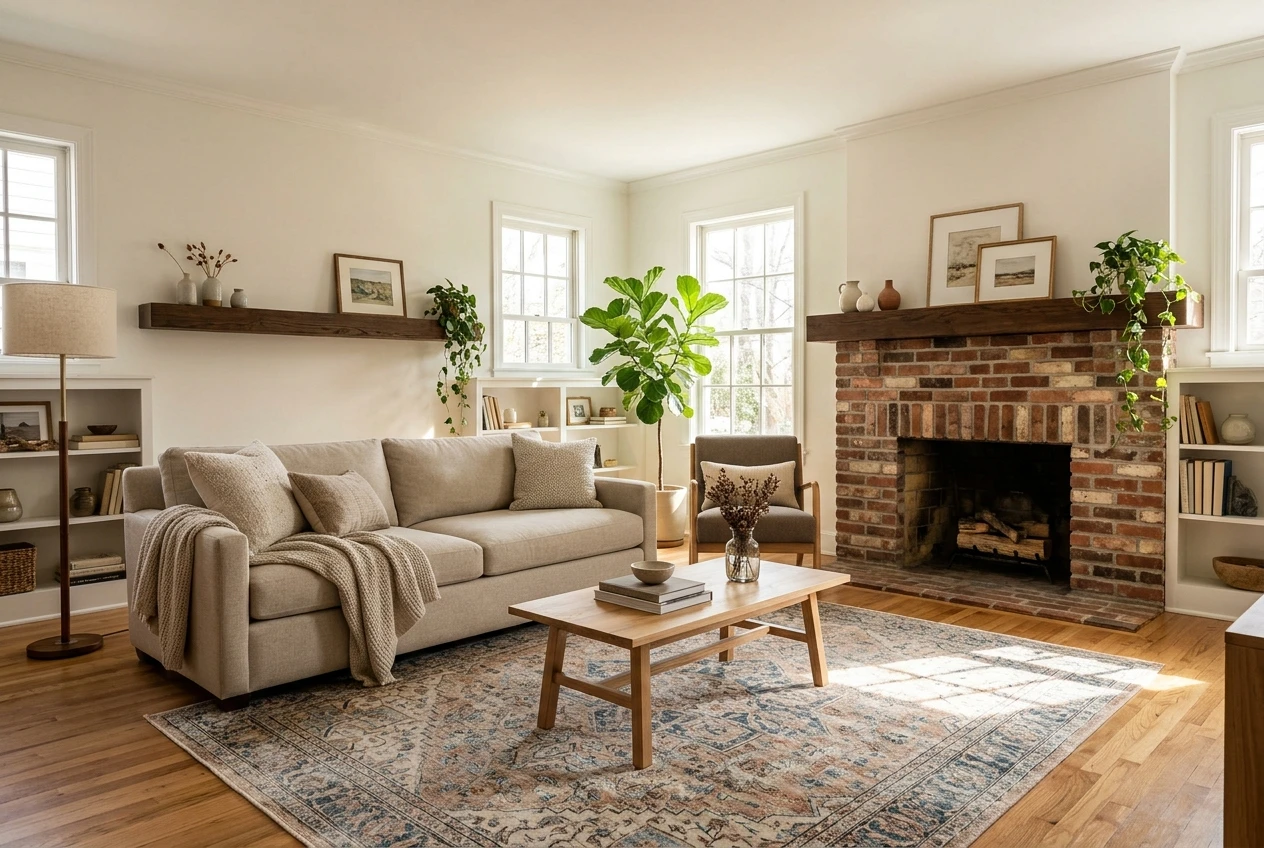
- Room: “A living room with hardwood floors and a brick fireplace”
- Problem: “currently cluttered with boxes and mismatched furniture, lit by a single overhead bulb”
- Fix: “remove the clutter, add warm natural light through the windows, and stage with a neutral sofa, a coffee table, and a rug that complements the hardwood”
Strung together, that becomes a single prompt: “A living room with hardwood floors and a brick fireplace, currently cluttered with boxes and mismatched furniture and lit by a single overhead bulb. Remove the clutter, brighten the room with natural light through the windows, and stage it with a neutral sofa, a coffee table, and a rug that complements the hardwood.”
Notice what’s missing: vague words like “nicer” or “better.” Every instruction names a specific object or a specific change. That specificity is what separates a prompt that works from one that produces a generic, unrecognizable room.
Decluttering and Depersonalizing Without Losing the Room’s Bones
The fastest win in real estate photography is also the easiest to prompt for: an empty counter reads as more spacious than a counter covered in mail and small appliances. But a declutter prompt needs to protect the features that make the room worth selling, not just strip everything out.
Name what stays and what goes. For a kitchen, that might read: “Remove the dishes, mail, and small appliances from the counters. Keep the cabinets, the backsplash tile, and the window above the sink exactly as they are. Leave the layout and lighting unchanged.”
That last instruction matters more than it looks. Without it, a prompt focused only on removal can end up altering the cabinet color or the counter material along with the clutter. Locking in what should stay the same keeps the transformation honest to the actual property, which protects you if a buyer compares the photo to the walkthrough.
Depersonalizing works the same way. Family photos on the mantel, kids’ artwork on the fridge, and personal collections on shelves all need to come out so a buyer can picture their own life in the space. Prompt for it directly: “Remove personal photos, artwork, and decorative collections from the shelves and walls. Leave the shelves and wall color as they are.”
Virtual Staging Prompts That Make Empty Rooms Feel Lived In
Vacant listings have the opposite problem from cluttered ones. An empty room photographs smaller than it actually is, and buyers struggle to picture how their furniture would fit. Virtual staging prompts fill that gap without the cost of renting furniture for a shoot.
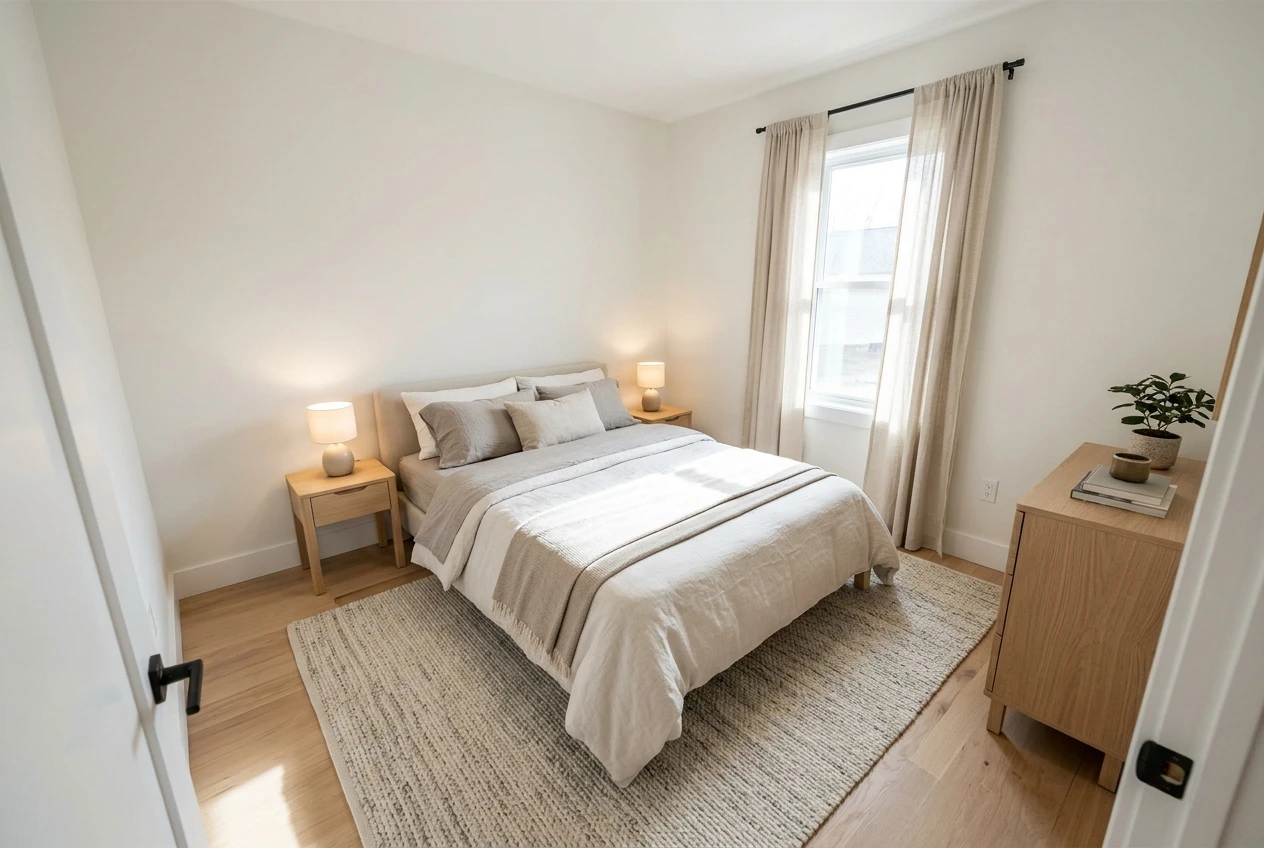
The key to a convincing staging prompt is matching the furniture style and scale to the room, not just dropping in generic pieces. For a small bedroom, specify: “Stage this empty bedroom with a queen bed, two nightstands, and a dresser in a light wood finish that suits the room’s size. Add a neutral area rug and simple window curtains. Keep the scale proportional to the room’s dimensions.”
For a larger open-concept space, you can push further: “Stage this open living and dining area with a sectional sofa facing the window, a round dining table for six, and a console table along the back wall. Use a warm, neutral color palette throughout.”
A staging prompt should also tell the tool what tone you’re after, since that shapes buyer perception as much as the furniture itself. “Modern minimalist,” “warm traditional,” and “bright coastal” each point toward a different buyer, so pick the one that matches the neighborhood and the price point you’re marketing to.
Fixing Curb Appeal: Lawns, Paint, and Lighting in One Prompt
The exterior photo is often the first image a buyer sees, which makes it worth the same prompt discipline as the interior shots. A patchy lawn, chipped paint, or a dull sky in the background photo can undercut a strong listing before the buyer ever clicks through to the rest of the gallery.
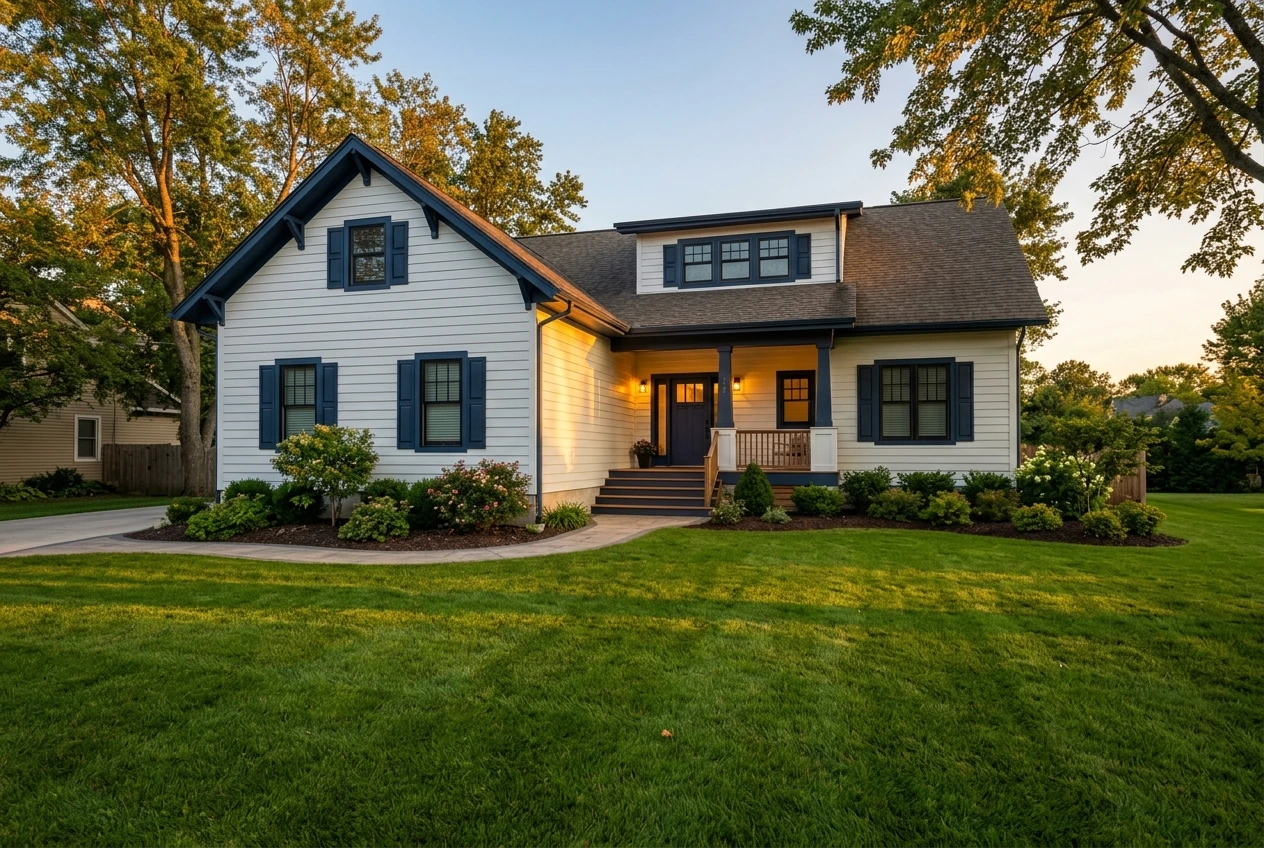
Curb appeal prompts work best when you tackle lawn, exterior finish, and lighting as separate instructions inside one prompt, rather than one vague request to “improve the exterior.” Try: “Replace the patchy, brown lawn with a healthy, even green lawn. Refresh the exterior paint to a crisp white with navy trim. Adjust the lighting to look like golden hour, with warm light on the front of the house and a clear blue sky.”
Breaking the prompt into those three named elements gives the tool clear targets instead of one broad mood to guess at. It also lets you control cost and realism: if the lawn is the only real problem, you can drop the paint and lighting instructions and keep the prompt focused on exactly what needs fixing.
Showing Buyers the Potential: Before and After Renovation Shots
Some listings are a harder sell precisely because the potential isn’t visible yet. An outdated kitchen, an unfinished basement, or a bathroom with decades-old fixtures can make buyers walk away before they imagine what the space could become. A renovation preview prompt gives them that picture directly.
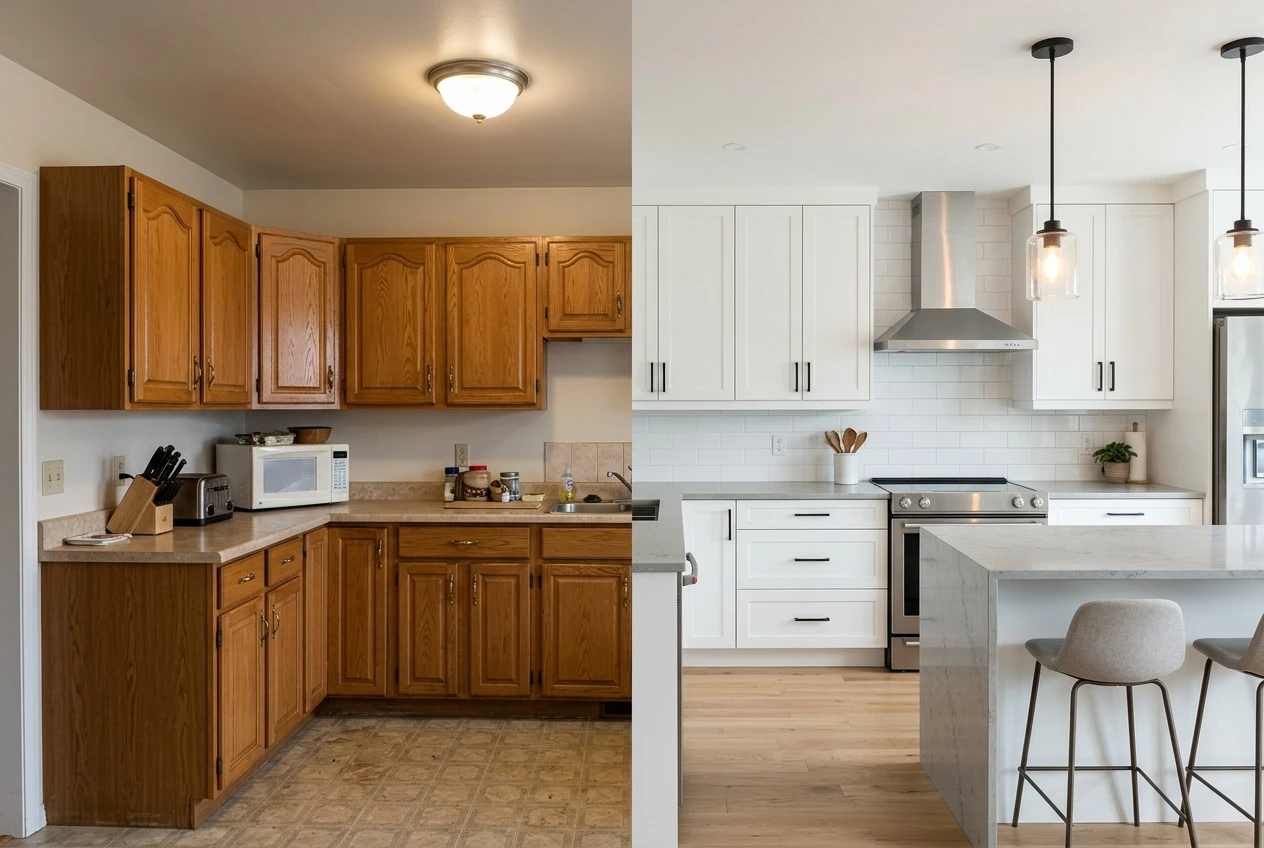
These prompts need more detail than a simple declutter or staging request, since you’re asking for a visible transformation rather than a cleanup. For a dated kitchen: “Transform this kitchen by replacing the oak cabinets with flat-panel white cabinets, swapping the laminate counters for a light gray quartz, and updating the lighting fixtures to modern pendant lights over the island. Keep the layout and window placement the same.”
For an unfinished basement: “Transform this unfinished basement into a finished family room with light gray flooring, drywall painted a warm white, recessed lighting, and a sectional sofa facing a media wall. Keep the room’s dimensions and support beams in place.”
Label these images clearly as a rendered preview rather than the current state of the property, both in the listing and in any caption you use. That protects you with buyers and keeps the marketing honest about what they’ll see on a walkthrough.
More Prompt Syntax to Master
The room, problem, fix formula covered here is one application of a broader prompt discipline that works across any kind of image generation on kre8or.ai, not just real estate. If you want to go deeper on how prompt structure shapes results in general, from word choice to layering instructions, the breakdown in Graphic Prompts That Turn Any Idea Into Art on kre8or.ai covers the underlying principles that apply to every prompt you write, listing photos included.
Building a Repeatable Workflow for Every New Listing
Once you have prompt templates that work, the real time savings come from reusing them instead of writing from scratch for every property. Build a short library organized by task: one template for decluttering a kitchen, one for staging an empty living room, one for curb appeal, one for a renovation preview. Keep the room, problem, fix structure in each one, and just swap in the specifics for the property in front of you.
A simple routine for a new listing might look like this:
- Walk through your photos and flag which ones need decluttering, staging, curb appeal fixes, or a renovation preview.
- Pull the matching template and fill in the room details, the specific problem in that photo, and the fix you want.
- Run the transformation, review it against the actual property for accuracy, and adjust the prompt if anything drifted.
- Label any renovation preview images clearly before they go into the listing.
The more listings you run through this process, the faster your templates get, and the less time you spend between a weak photo and a listing-ready one.
Open a free kre8or.ai account and run your first before-and-after transformation on tonight’s listing photos.