


Ultra-Realistic Seawater Prompts for kre8or.ai: Waves, Foam and Light That Actually Look Wet
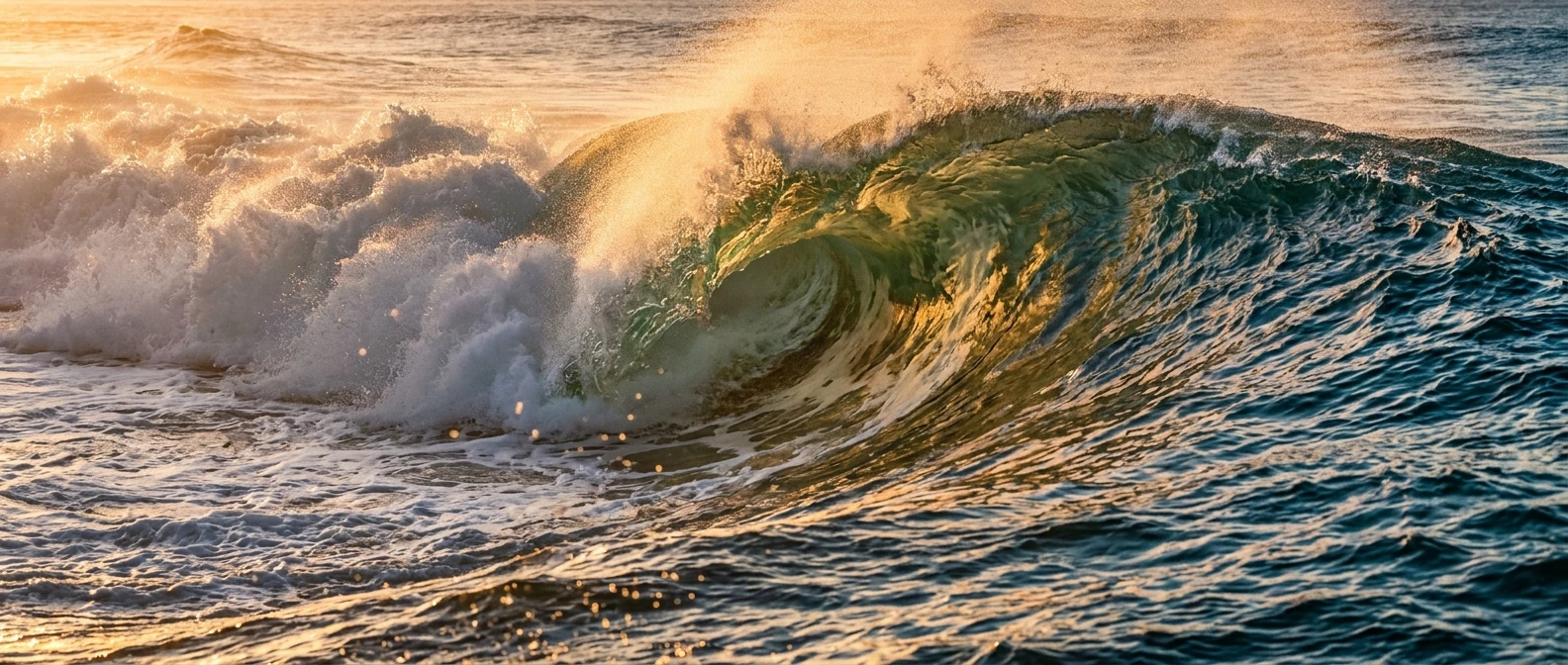
Water is one of the hardest things to render convincingly with AI, and seawater is the hardest version of that problem. Skin can look a little too smooth and still read as human. Sky can look a little flat and still read as sky. But water has rules that everyone’s eye already knows without being able to name them, and the moment those rules break, the image reads as glass, resin or plastic instead of liquid.
This matters because “ai prompts for realistic water” is one of the most searched phrases by people trying to generate ocean scenes, and most of what they find is generic advice like “add more detail” or “use 8k, photorealistic, highly detailed.” None of that touches the actual physics that makes water look wet. This article breaks seawater into its component parts, translucency, foam, wave shape and light, and gives you prompt language for each one that you can use directly in kre8or.ai.
Why most AI water looks fake (and the three prompt mistakes behind it)
The first mistake is describing water by color instead of by behavior. “Blue ocean water” tells the model what hue to paint, but it says nothing about how light passes through that hue, bounces off it, or scatters inside it. Real seawater is rarely one color. It is several layers of color stacked on top of each other, shifting with depth and angle, and a prompt that only names a color flattens all of that into a single surface.
The second mistake is treating foam as a shape rather than a process. White blobs scattered across a wave crest look like scattered white blobs because that is literally what was asked for. Real foam is the result of air getting trapped and torn apart by moving water, which means it has density gradients, edges that dissolve into spray, and patterns that follow the direction of the wave. A prompt needs to describe that process, not just the color white.
The third mistake is skipping motion entirely. Water is never still, even when a single frame freezes it. A wave has a direction it came from and a direction it is going. A prompt that never mentions swell, chop, direction or breaking action gives the model no reason to paint water instead of a reflective flat surface, which is why so many AI oceans look like a mirror laid on the ground.
Fix these three things, color without physics, foam without process, and stillness without direction, and you’ve solved most of what makes seawater look synthetic.
Describing translucency: prompt language that makes water read as liquid, not glass
Translucency is the single biggest difference between water and glass in a render. Glass is uniformly clear or uniformly tinted. Water is clear near the surface, darker with depth, and full of internal color shifts caused by sediment, algae, light angle and depth of the seabed. If your prompt only says “clear water” or “transparent water,” you’re asking for glass and getting glass.
Instead, describe water as having layers. Try language like:
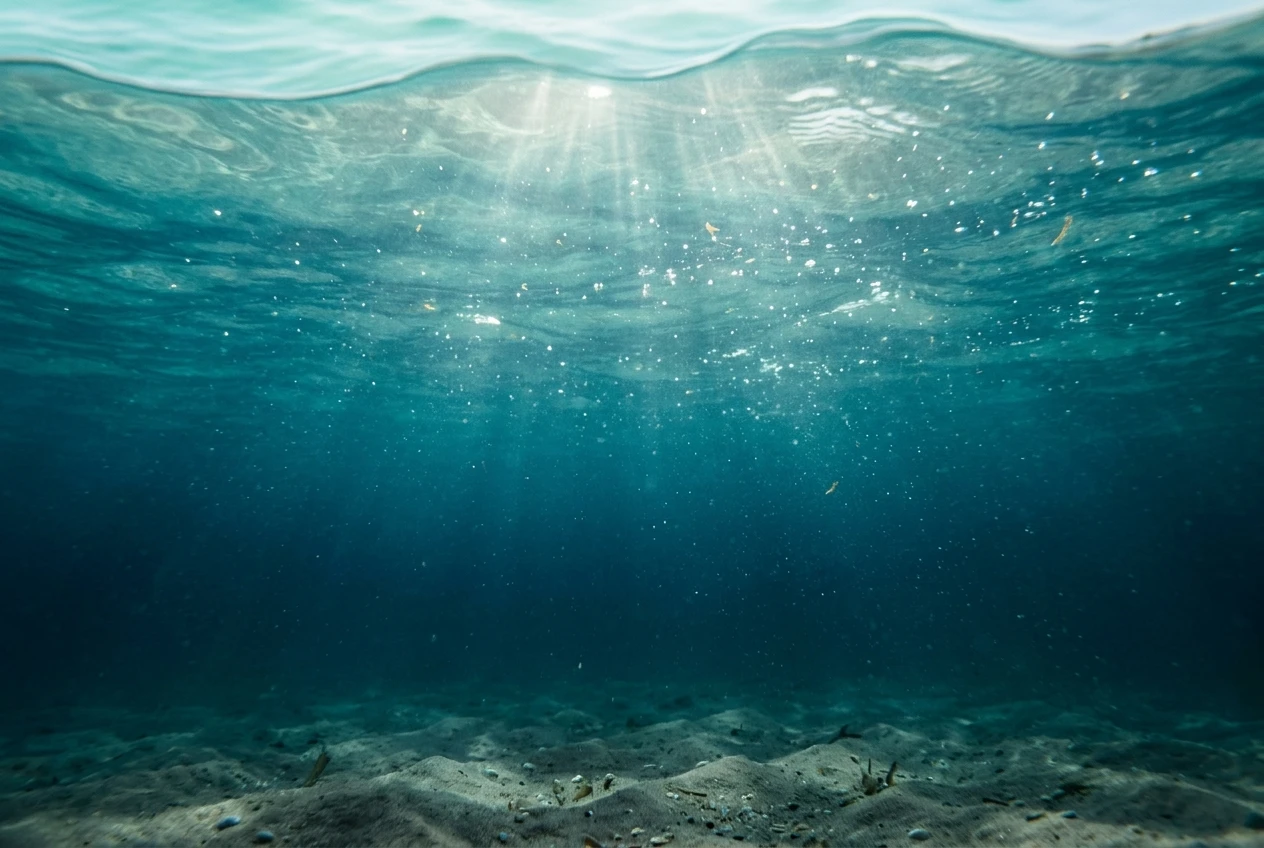
- “translucent seawater with a pale turquoise surface layer deepening to teal and navy with depth”
- “light passing through the top few inches of water, scattering into a soft green glow before fading into darker blue below”
- “visible sediment and light particles suspended in the water column, catching sunlight near the surface”
That last line matters more than it looks. Real water almost always has something suspended in it, plankton, sand, bubbles, and that suspended matter is what catches light and gives water its sense of depth. A perfectly clean, particle-free render is part of what tips an image into looking like glass. Adding a small amount of suspended detail does more for realism than almost any other single phrase.
It also helps to describe what is beneath the water rather than just the water itself. A prompt that mentions “a sandy seabed visible through the shallows, darkening to deep blue where the bottom drops away” gives the model a reason to vary the color and clarity across the frame instead of applying one uniform transparency setting to the whole surface.
Foam and spray: getting texture and dispersion right instead of white blobs
Foam is where most seawater prompts fall apart, because foam is not a color, it is a texture with a lifecycle. It starts dense and bright where a wave breaks, and it thins, stretches and scatters as it moves away from that point. A prompt that just says “white foam on the waves” gives the model nothing to work with except a flat white patch.
Describe foam by where it comes from and what it’s doing:
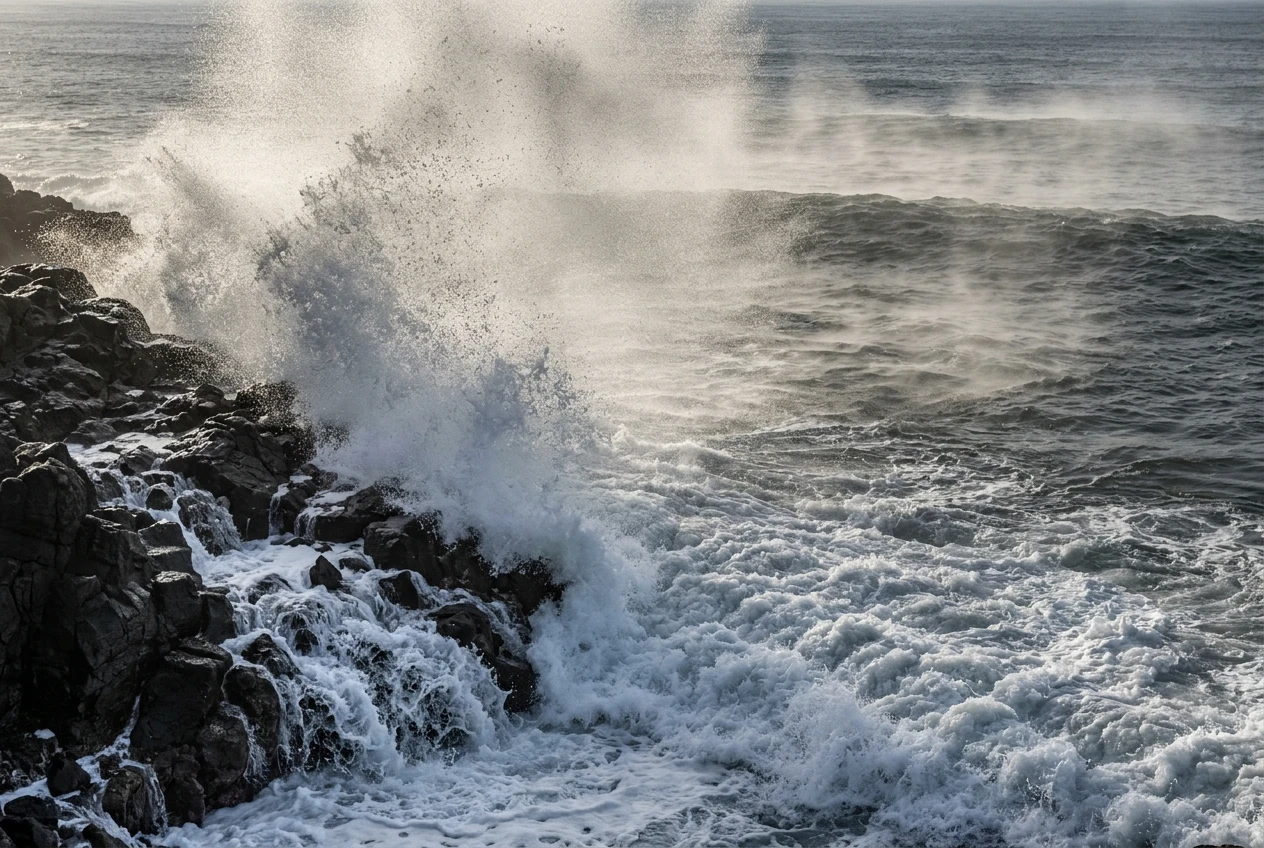
- “dense white foam cresting along the breaking edge of the wave, thinning into lace-like patterns as it slides down the face”
- “fine sea spray lifting off the wave crest, caught mid-air and backlit by the sun”
- “streaks of foam trailing behind the wave, dispersing into fine bubbles that fade into the water”
Notice the verbs doing the work here: cresting, thinning, sliding, lifting, trailing, dispersing, fading. These are process words, and they tell the model that foam is a moving, changing material, not a static sticker placed on top of the water.
It also helps to separate foam from spray from mist, since they behave differently and sit at different distances from the camera. Foam sits on the water. Spray is airborne droplets thrown up by impact, usually catching light in a way that makes them look almost like glitter against a dark background. Mist is finer still, often low over the surface. If your scene includes a wave breaking against rocks, naming all three, “foam at the base, spray thrown upward, a thin mist drifting off the impact,” gives the model three distinct layers to render instead of one undifferentiated white mass.
One more detail worth prompting for directly: foam edges. Real foam rarely has a hard, clean boundary. It dissolves into the surrounding water in a gradient. If your renders keep producing foam that looks pasted on, try adding “soft, irregular foam edges blending into the surrounding water” to push the model away from the sharp-edged blob default.
Wave shape and motion: words that control swell, chop and breaking curls
Wave shape is where direction and physics come together, and it’s the part most people skip entirely. Without shape language, the model defaults to generic undulation, which is why so many AI oceans look like rippled fabric rather than moving water with weight behind it.
Start by deciding what kind of water you’re generating, because swell, chop and breaking waves are visually distinct and need different words.
Swell is long, rolling, and smooth, the kind of open-ocean movement you see far from shore. Prompt it with phrases like “long rolling swell,” “smooth undulating surface with wide, gentle wave spacing,” or “deep ocean swell with soft, rounded crests.”
Chop is short, choppy, wind-driven water, the kind you see on a windy day close to shore. Use language like “choppy surface with short, irregular wavelets,” “wind-ruffled water with scattered small peaks,” or “textured chop catching scattered highlights.”
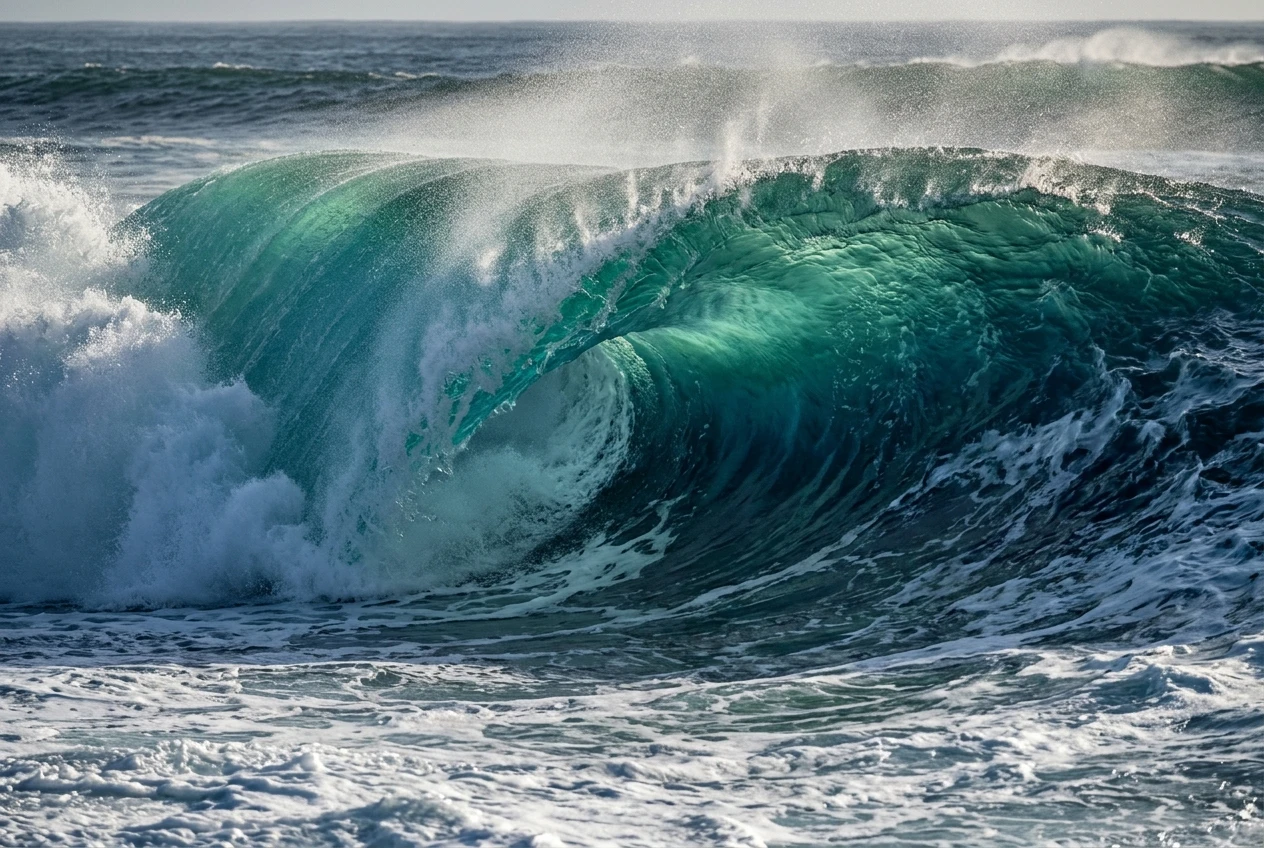
Breaking waves are the most dramatic and the hardest to get right, because they involve a curling, collapsing shape that has to look structurally sound, not just decorative. Useful phrasing includes “wave curling into a barrel shape as it breaks,” “the crest folding over and collapsing into whitewater,” or “a breaking wave with a hollow curl and a spray-filled lip.” If you want the dramatic tube shot, be specific about the hollow: “a hollow wave curl with visible light passing through the translucent face of the barrel” ties this section directly back to the translucency language above, since the inside of a breaking wave is one of the few places where seawater is lit from behind and genuinely glows.
Direction matters too. A wave moving toward the camera looks different from one moving across the frame. Naming the direction, “a wave rolling toward the shore, crest curling left to right,” gives the model a consistent structure to build the whole wave around instead of guessing.
Caustics and underwater light: prompting the glow that sells depth
Caustics are the rippled patterns of light you see on a sandy seabed or on a swimmer’s skin under shallow water, caused by sunlight refracting through a moving surface. They are one of the most convincing signals of real water because they are genuinely hard to fake by accident, which means when a render includes them, the eye trusts the whole image more.
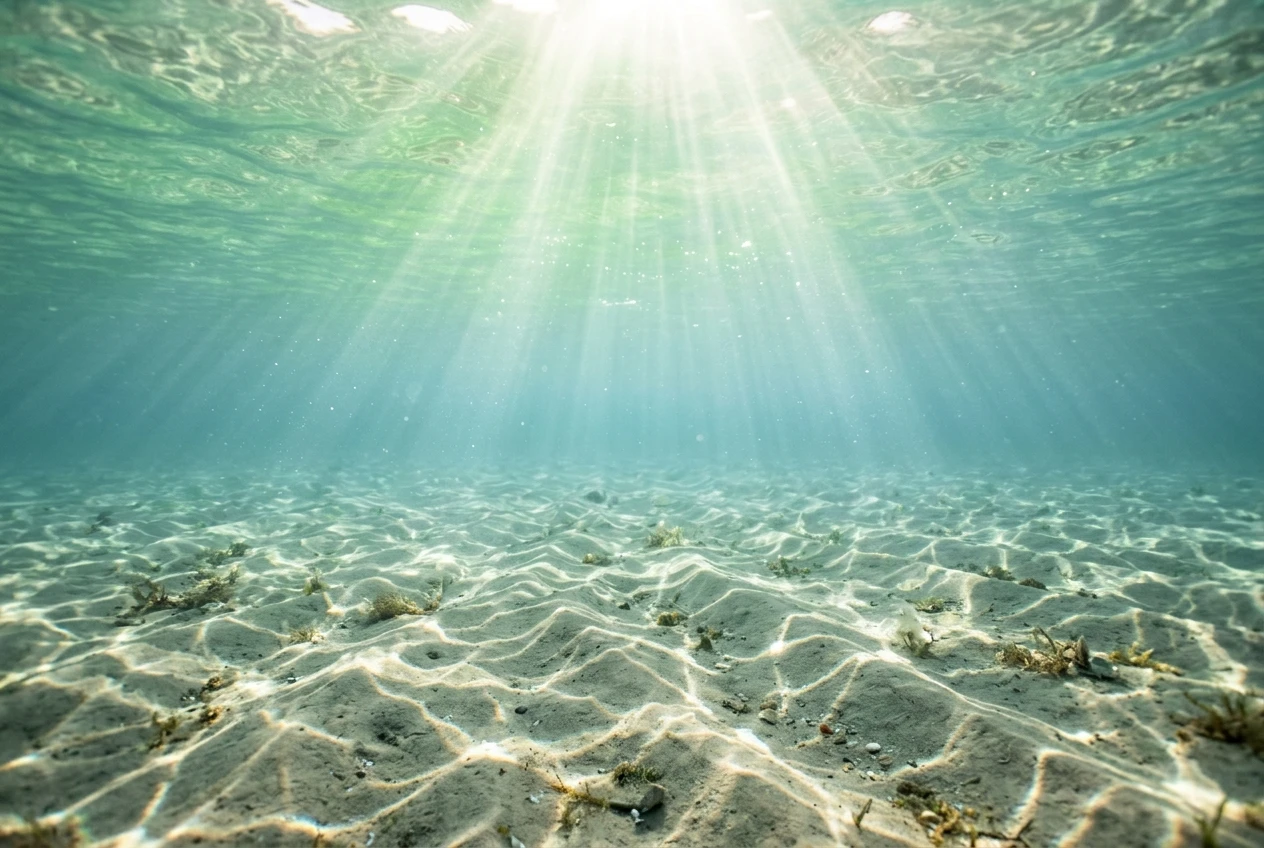
Prompt for caustics directly rather than hoping they appear as a side effect of “realistic water.” Try:
- “sunlight refracting through the water’s surface, casting rippled caustic patterns on the seabed below”
- “dappled underwater light moving in soft, wavering patterns across the sand”
- “shafts of light piercing the surface and scattering into caustic ripples underwater”
If your scene is partly or fully underwater, caustics become even more important, since they are often the only cue that separates “underwater” from “foggy blue room.” Combine caustic language with a light source direction, since caustics only make sense with an implied sun position: “late afternoon sunlight entering at a low angle, casting long caustic streaks across the shallows” gives the model both the light source and the pattern it should produce.
Above the surface, light interacts with water differently but just as importantly. Backlit water, where the sun is behind or to the side of the wave, produces the glowing, translucent green you see in surf photography, the color that makes a wave look lit from within rather than just lit on top. Prompt this with “sunlight behind the wave, lighting the water from within and producing a glowing green translucence near the crest” or “backlit wave face with sunlight passing through the thinnest part of the water, creating a jade-colored glow.”
Specular highlights matter too, but sparingly. A field of identical bright dots scattered across the water usually looks artificial. Ask instead for “scattered, uneven specular highlights following the direction of the swell” so the bright points of light follow the logic of the wave pattern rather than sitting randomly on top of it.
Putting it together: a full layered prompt for a photorealistic seawater scene
Here’s how all of these layers combine into a single prompt you can adapt in kre8or.ai. The structure moves from the overall scene, to water translucency, to wave shape, to foam, to light, roughly the order a camera would actually process the scene:
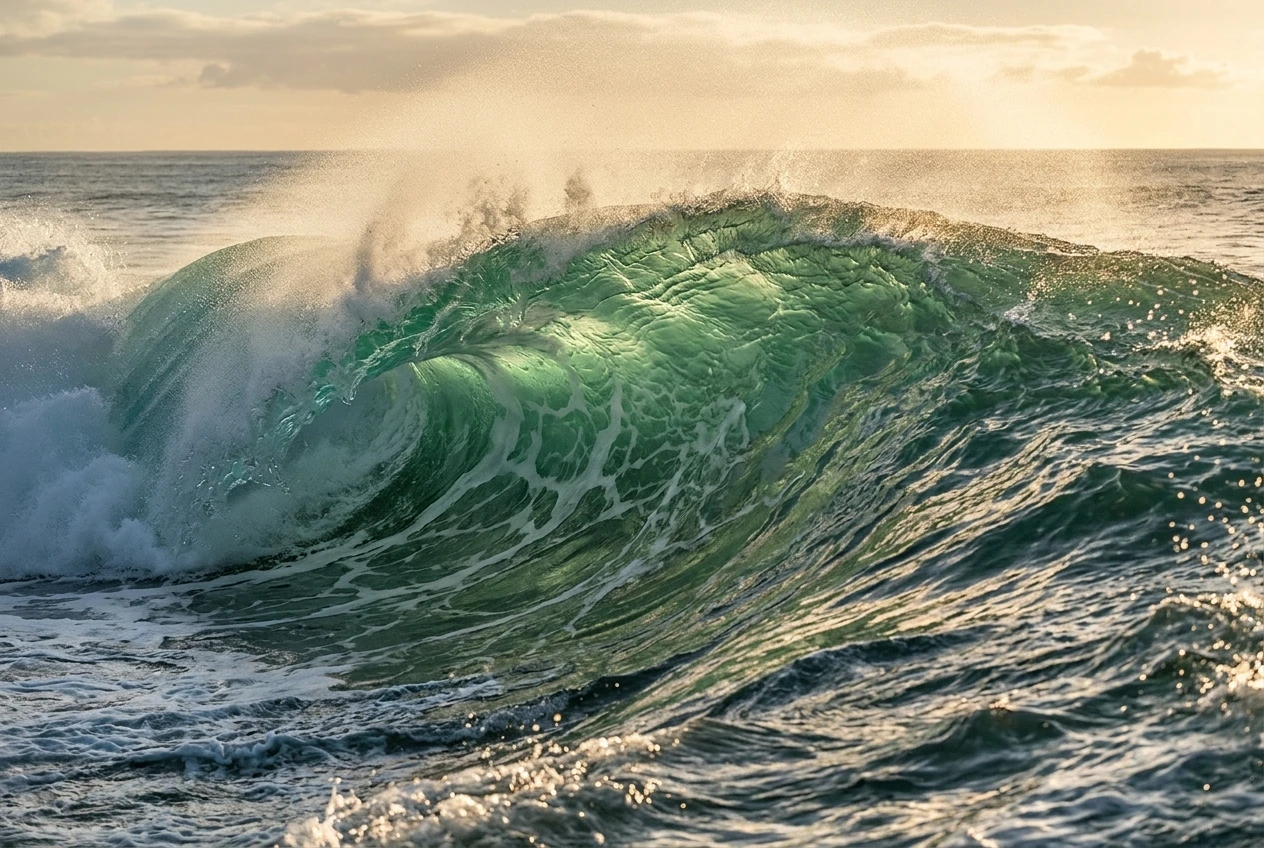
“A breaking ocean wave photographed from water level at golden hour, translucent seawater with a pale turquoise surface layer deepening to teal and navy with depth, visible sediment and light particles suspended near the surface, the wave curling into a hollow barrel shape with light passing through the translucent face, dense white foam cresting along the breaking edge and thinning into lace-like patterns as it slides down the face, fine sea spray lifting off the crest and backlit by low sun, sunlight entering at a low angle and casting scattered specular highlights following the direction of the swell, photorealistic, shot on a telephoto lens, natural color grading.”
Notice what this prompt does not do: it never says “realistic water” or “detailed ocean” as a standalone instruction. Every phrase is doing specific work, describing a behavior, a light interaction or a structural detail, rather than asking the model to apply a vague quality filter. That’s the real difference between a prompt that produces convincing seawater and one that produces a blue, shiny surface.
You can scale this structure down for calmer scenes. A beach shallows shot might drop the barrel and spray language entirely and lean harder on caustics and seabed visibility: “Shallow turquoise seawater over a sandy seabed, sunlight refracting through the surface and casting rippled caustic patterns on the sand, small gentle wavelets with soft specular highlights, visible sediment near the shoreline, photorealistic, natural lighting.” Same building blocks, different proportions.
If you want a deeper grounding in how to structure prompts like this across different kinds of subjects, not just water, the article on how to write AI art prompts that actually work walks through the same layering approach applied more broadly, which is worth a look if you’re still finding your footing with prompt structure in general.
Troubleshooting flat or overexposed water results in kre8or.ai
If your seawater keeps coming out flat, glassy or overexposed, the issue is usually one of a few specific things, and each has a direct prompt fix.
Water looks like glass or plastic. This almost always means the prompt described color without translucency layers. Add depth-based color language (“pale turquoise surface deepening to navy with depth”) and suspended particle detail. Both push the model away from a single flat surface color.
Foam looks like white paint or stickers. Swap static color words for process words. Replace “white foam” with language about where the foam comes from and where it’s going, cresting, thinning, dispersing, trailing. Add “soft, irregular edges” if the foam boundary looks too clean.
The whole scene is overexposed or blown out. Water reflects a huge amount of light, and if your prompt emphasizes brightness without controlling where that light falls, the model can overdo the highlights across the entire surface. Add direction to your light language, “specular highlights following the direction of the swell” rather than just “bright sunlight on water,” and consider specifying time of day, since golden hour and overcast light both produce more controlled, less blown-out results than generic “bright sunny day” phrasing.
Waves look like rippled fabric instead of moving water. This usually means there’s no shape category specified. Decide whether you want swell, chop or a breaking wave, and use the specific language for that category rather than a generic “waves” instruction. Direction helps too: naming where the wave is moving toward or breaking from gives the structure something to build around.
Underwater scenes look murky or flat blue. This is almost always missing caustics and missing a light source direction. Add both together, since caustics only read correctly when there’s an implied sun angle behind them.
Everything looks good except the color feels off. Try naming a specific water type instead of just “ocean water.” Tropical shallows, open Atlantic swell, and a stormy North Sea all have genuinely different color palettes, and letting the model know which one you’re going for gives it a more accurate target than “blue water” ever will.
Most of these fixes come down to the same underlying habit: swap a quality word for a behavior word. “Realistic” becomes “deepening with depth.” “Foamy” becomes “cresting and thinning.” “Bright” becomes “highlights following the swell.” Once that habit sticks, seawater stops being the hardest thing to render and starts being one of the more satisfying subjects to work with, because every layer you add, translucency, foam, wave shape, caustic light, compounds with the others instead of fighting them.
Try these prompts yourself in kre8or.ai and see your seawater scenes come to life, sign up free to start generating.