


How to Control Color in kre8or.ai Prompts: The Words That Set Your Palette and Mood
Most AI images that “almost work” have the right subject and the wrong color. The scene is a lighthouse on a cliff, but the sky is a flat mid-blue and everything has the same medium brightness. You pictured a bruised purple dusk with one warm window, and the prompt never said so.
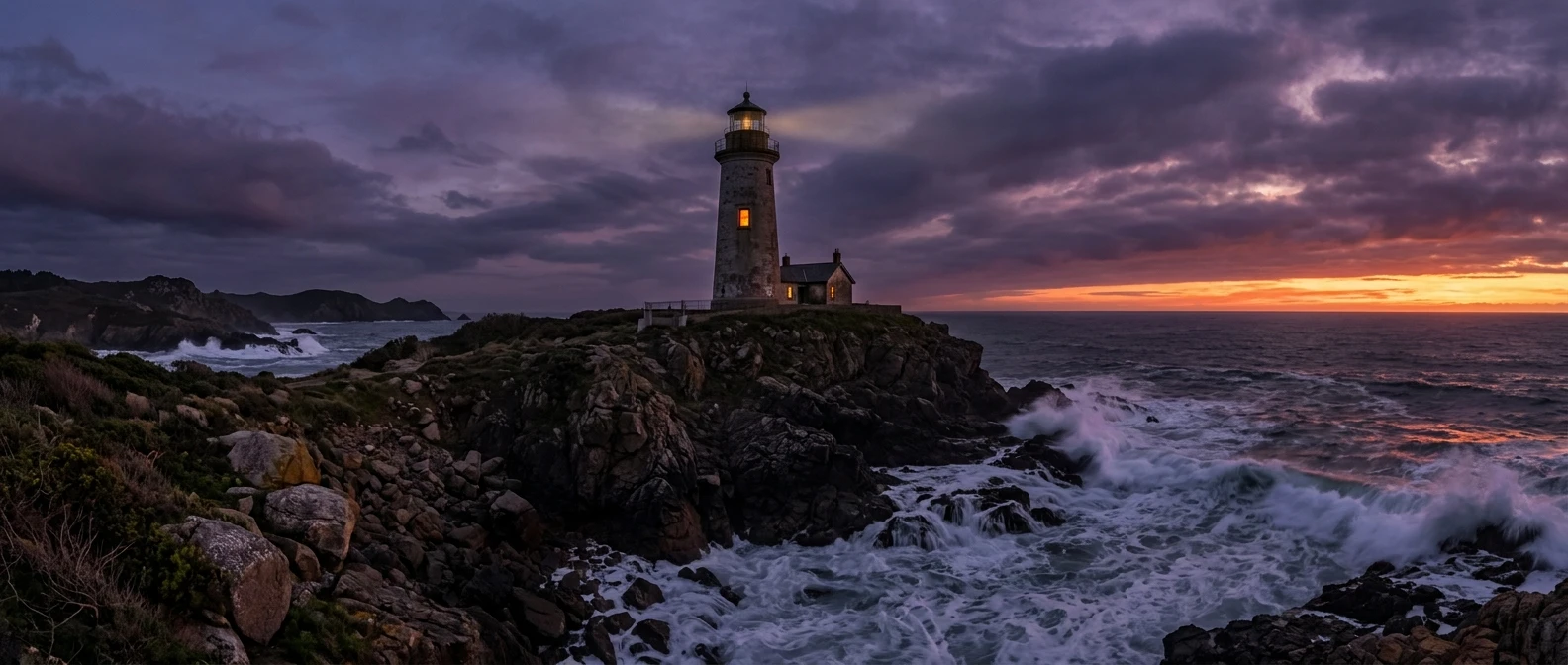
Color can be set in the prompt itself, before the first generation. This guide covers the words that do it: palette names, lighting temperature, film and grading vocabulary, and the plain terms for saturation and contrast. It ends with a swap test you can run in kre8or.ai, where only the color words change, so you can see for yourself how much each phrase moves the result. These ai art color palette prompts work as a vocabulary you can reuse across subjects.
Name the Palette: The Words That Lock In Specific Color Schemes
A palette is a short list of colors that the image should stay inside. The most reliable way to ask for one is to name two or three specific colors and say how they relate. “Amber and deep teal” gives the model a warm color and a cool one to balance. “Dusty rose, sage green and cream” gives it three muted colors that sit comfortably together.
Specific color names do more than basic ones. “Red” leaves the model to pick any red. “Burnt orange,” “oxblood,” “vermilion” and “coral” each point to a narrower area of the color wheel. Useful families to draw from:
- Warm earth tones: terracotta, ochre, burnt sienna, rust, umber, sand
- Cool and deep: navy, indigo, slate blue, petrol blue, midnight, teal
- Soft and light: blush, powder blue, mint, butter yellow, lavender, cream
- Rich and jewel-like: emerald, sapphire, amethyst, ruby, burgundy, gold
- Neutral and muted: charcoal, ash gray, bone, taupe, olive, stone
Palette structure words help too. “Monochromatic blue” keeps everything in one hue at different brightness levels. “Analogous palette” asks for neighboring colors, such as yellow, orange and red-orange. “Complementary palette” asks for opposites, such as blue against orange. “Limited palette” tells the model to use few colors overall, which tends to produce a more designed look.
Put the palette in a clear position in the prompt, usually after the subject and setting. A phrase like “color palette of burnt orange, deep teal and cream” reads as one instruction. Colors scattered across the prompt (“a red door, blue shutters, a green roof, a yellow sky”) read as separate objects that each need that color, and you lose control of the overall scheme.
Why Your Colors Keep Coming Out Generic, and What the Prompt Is Missing
When a prompt contains no color direction, the model fills the gap with the most common treatment for that subject. A forest comes out green, a beach comes out blue and tan, a city at night comes out orange and blue. Those defaults are statistically safe, and that is why many results look alike.
Three omissions cause most of the generic color:
- No palette. The prompt describes things (a fox, a meadow, a cottage) but never says which colors should dominate.
- No light. Color depends on the light hitting it. Without a time of day or a light quality, the model picks neutral, even illumination, which flattens everything.
- No finish. Saturation, contrast and the look of the darkest areas are all settings that a prompt can specify. If you leave them out, you get a middle-of-the-road version of each.
A weak prompt: “a lighthouse on a rocky coast, detailed, high quality.”
The same scene with the missing information added: “a lighthouse on a rocky coast at dusk, color palette of deep violet and warm amber, low sun glowing on the horizon, muted saturation, soft contrast.”
The second prompt has not changed the subject at all. It has added a palette, a light source and a finish, which are the three things the first one lacked. If you have a prompt that is close but unsatisfying, the guide on fixing a weak kre8or.ai prompt walks through other kinds of gaps worth checking alongside color.
Quality words such as “detailed,” “stunning” and “masterpiece” do not carry color information, so they leave the color question open. Spend those words on color instead.
Lighting Temperature and Time of Day: The Fastest Mood Switch
If you change only one thing to shift a mood, change the light. Time of day and light temperature affect every color in the scene at once, so a single phrase can retint the whole image.
Light temperature is about warm versus cool. Warm light sits on the orange and yellow side, like candles, sunset and tungsten bulbs. Cool light sits on the blue side, like overcast skies, moonlight and fluorescent tubes. Words that carry it:
- Warm: golden hour, warm tungsten glow, candlelight, firelight, amber sunset light, warm lamp light
- Cool: blue hour, moonlight, overcast daylight, cold fluorescent light, icy dawn light, cool shadows
- Mixed: warm window light against a blue evening, orange streetlamps under a teal sky, fire glow in a cold night forest
Time of day gives a ready-made package of color. Golden hour implies long shadows and orange highlights. Blue hour, the short period after sunset, implies deep blue ambient light. Midday sun implies hard shadows and neutral, bright color. Overcast implies soft, low-contrast, slightly gray light. Night can be anything from moonlit silver to neon, so say which.
Mixed temperature is the most useful trick for mood. A scene lit entirely by one temperature can look flat, while a warm light source inside a cool environment draws the eye and reads as cozy, tense or lonely depending on the subject. “A cabin window glowing warm amber against a cold blue snowy evening” does more mood work than any adjective like “cozy.”
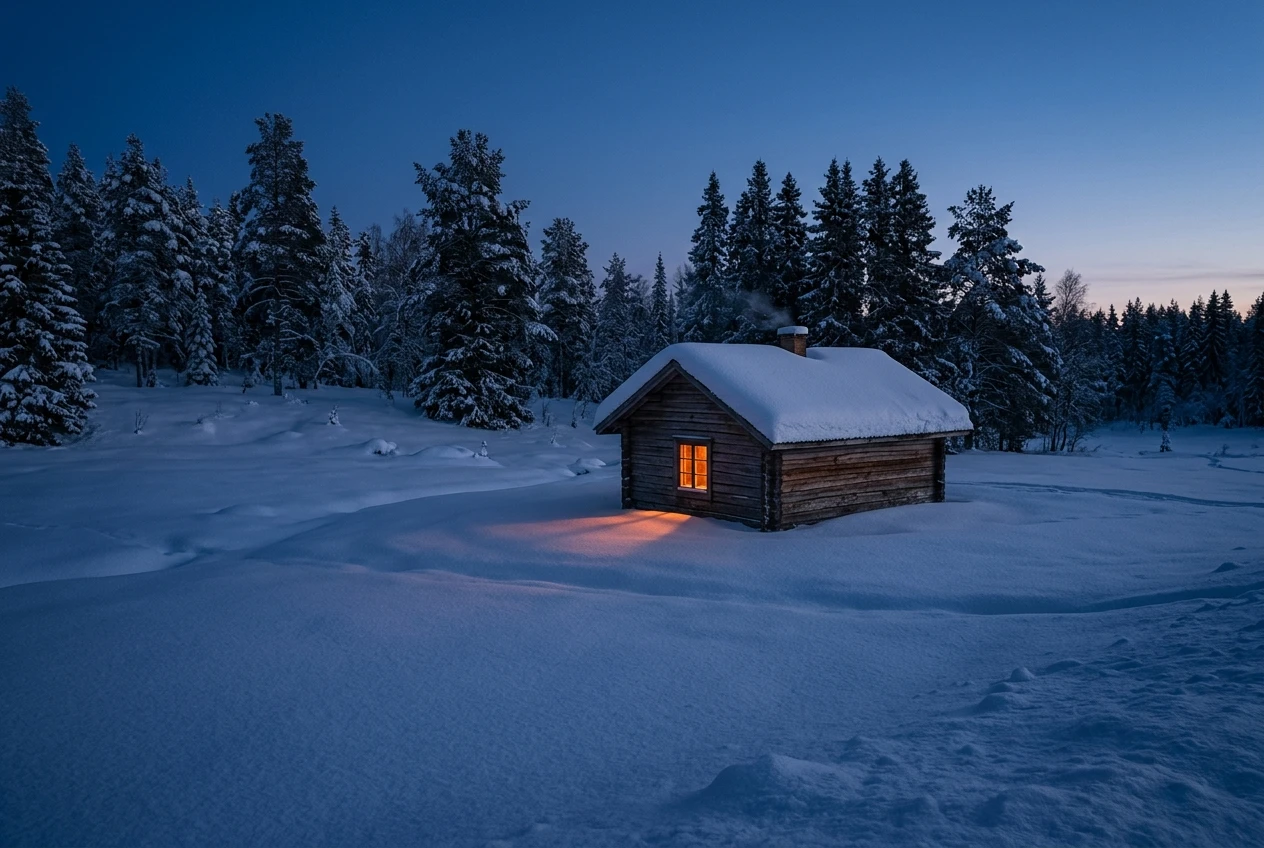
Mood words and light words can work together. “Moody” or “melancholy” alone is vague, but “melancholy, cold overcast light, muted blue-gray palette” tells the model what the mood looks like. For a hands-on example of mood driven by light and color, the abandoned house prompts rely heavily on this kind of lighting vocabulary.
Borrow the Grade: Film Stock, Cinematic and Era Vocabulary That Sets the Look
Color grading is the finishing pass photographers and filmmakers apply to give footage a consistent look. Image models have seen enormous amounts of graded photography and film, so grading vocabulary in a prompt can pull in a whole look at once, including palette, contrast and grain.
Categories of grading words to try:
Film and photography looks
- “35mm film photograph” tends toward natural color with some grain
- “Kodak Portra look” is commonly associated with soft, warm skin tones and gentle pastels
- “Cinestill 800T look” is commonly associated with tungsten-balanced color, teal shadows and glowing highlights around lights
- “Polaroid” and “instant film” suggest faded color and soft contrast
- “Black and white, high-contrast film” removes color and puts the weight on tone
Cinematic grading terms
- “Teal and orange grade” pushes shadows toward teal and skin or highlights toward orange
- “Bleach bypass” suggests low saturation with high contrast and a gritty look
- “Cinematic color grading” is broad but nudges toward deliberate, filmic color
- “Desaturated cinematic look” is a safe choice for serious or somber scenes
Era vocabulary
- “1970s color photograph” suggests warm browns, oranges and faded greens
- “1980s neon” suggests magenta, cyan and glossy night scenes
- “Vintage postcard” suggests slightly faded, warm, printed color
- “Sepia” gives brown monochrome with an antique feel
Treat film names as hints rather than exact recipes. The model is working from visual associations, so results vary, and a stock name will not reproduce a specific real film. Try one grading term at a time, compare, and keep the ones that deliver a look you like. For one extreme end of this vocabulary, the cyberpunk portrait syntax guide shows how neon and night grading words fit into a full prompt.
Saturation, Contrast and Black Levels: Dialing Intensity With Plain Words
Once the hue and light are set, three properties decide how strong the color feels. You can control all three with ordinary words.
Saturation is how intense the colors are. “Vibrant,” “vivid” and “highly saturated” push color to full strength. “Muted,” “desaturated,” “subdued” and “washed-out” pull it back. “Pastel” means light and low in intensity. If your images look garish, add “muted” or “slightly desaturated.” If they look dull, add “rich” or “vivid.”
Contrast is the difference between light and dark areas. “High contrast,” “deep shadows” and “bright highlights” widen the gap. “Low contrast,” “soft,” “flat” and “airy” narrow it. Low contrast with high saturation gives a candy look. High contrast with low saturation gives a stern, gritty one.
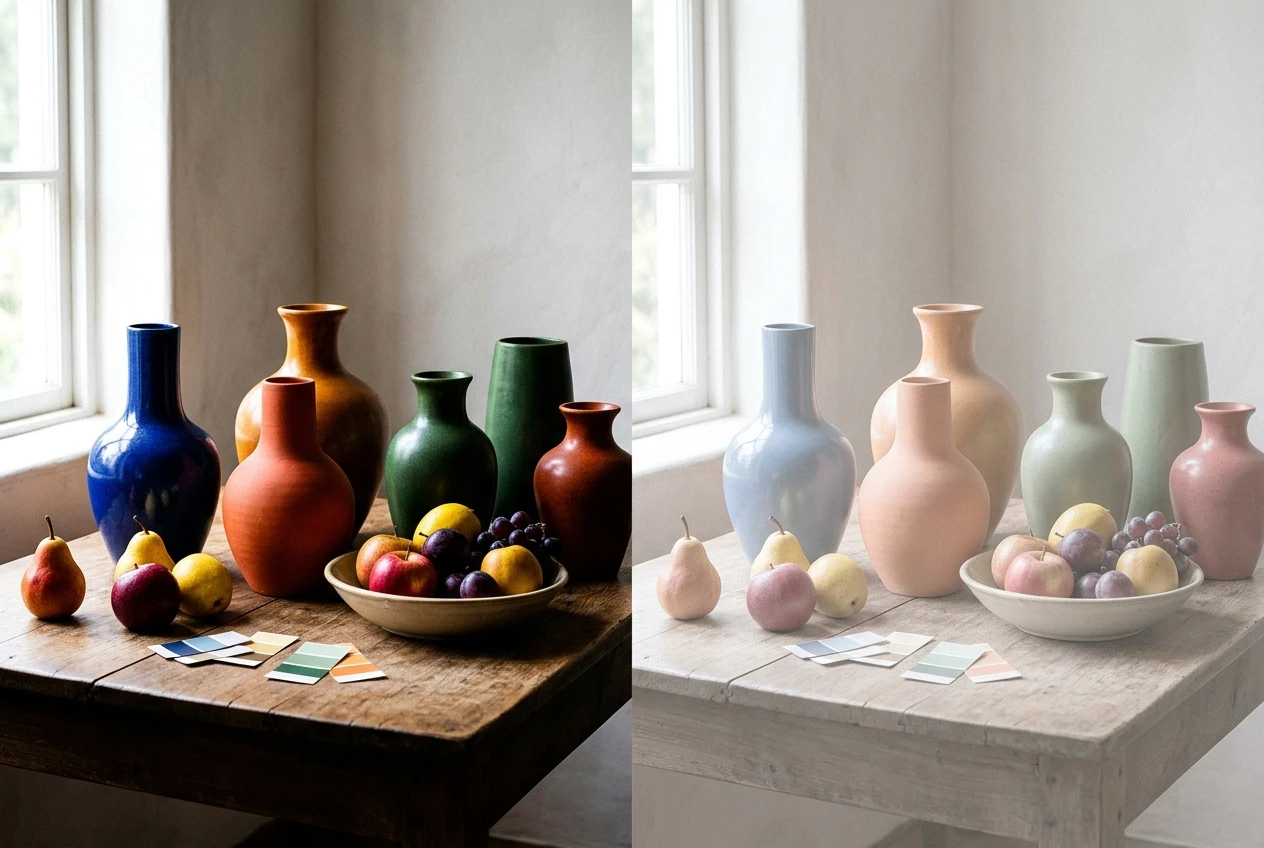
Black levels describe how dark the darkest areas get. “Deep blacks” and “crushed blacks” give strong, solid darks. “Lifted blacks,” “faded blacks” and “matte finish” make the darkest areas a dark gray instead, which gives the soft, slightly faded look common in modern photo edits and indie film. It is a small phrase with a large effect on whether an image feels punchy or gentle.
A few combinations that behave predictably:
Goal Words to use Dreamy and gentle pastel palette, low contrast, lifted blacks, soft light Dramatic and intense high contrast, deep blacks, rich saturated color, hard light Gritty and serious desaturated, high contrast, cold light, film grain Nostalgic warm faded color, matte blacks, soft grain, vintage film look
Change one of these three at a time when you are learning. If you change all three at once, you will not know which phrase produced the result.
Color Words That Fight Each Other, and How to Stop Them Clashing
A prompt can contain color instructions that contradict each other. The model then averages them, and you get a muddy image that matches nothing you asked for. Common conflicts:
- Saturation against mood. “Vibrant, neon colors” with “somber, muted, melancholy” pulls both ways. Pick which one you want.
- Lighting against palette. “Cold blue moonlight” with “warm golden palette” asks for light that is cool and warm at once. If you want both, assign each a role: “cool moonlight on the landscape, warm lamplight in the windows.”
- Too many colors. A prompt that names six or seven colors gives the model no hierarchy, and it will either use all of them weakly or ignore some. Two or three main colors with one accent is usually enough.
- Stacked grading looks. “Teal and orange grade, sepia, black and white, Polaroid” are four separate looks. Choose one.
- Hidden color in other words. A subject like “a fiery dragon” or “an emerald forest” carries its own color. If the palette you want is cool blue, “fiery” is working against you.
Ways to keep things coherent:
- Give the palette a ranking: “dominant deep teal, secondary cream, small accents of coral.”
- Give each color a place: “teal water, cream sand, coral sunset sky.”
- Assign one light source and one temperature to the scene, and add a second only as a deliberate contrast.
- Reread your prompt for words that imply a color you did not intend.
If a result looks muddy, remove phrases rather than adding more. Shorter color direction is often clearer to the model than long, hedged direction.
The One-Scene Swap Test: Same Subject, Five Color Treatments
The swap test is the quickest way to learn what color words do. You keep everything fixed except the color phrase, so any difference in the images comes from those words.
The base scene. Use something with simple shapes, a sky and a light source, so color has room to change the mood:
A lighthouse on a rocky coast, waves breaking below, wide shot, simple composition, followed by one of the treatments below.
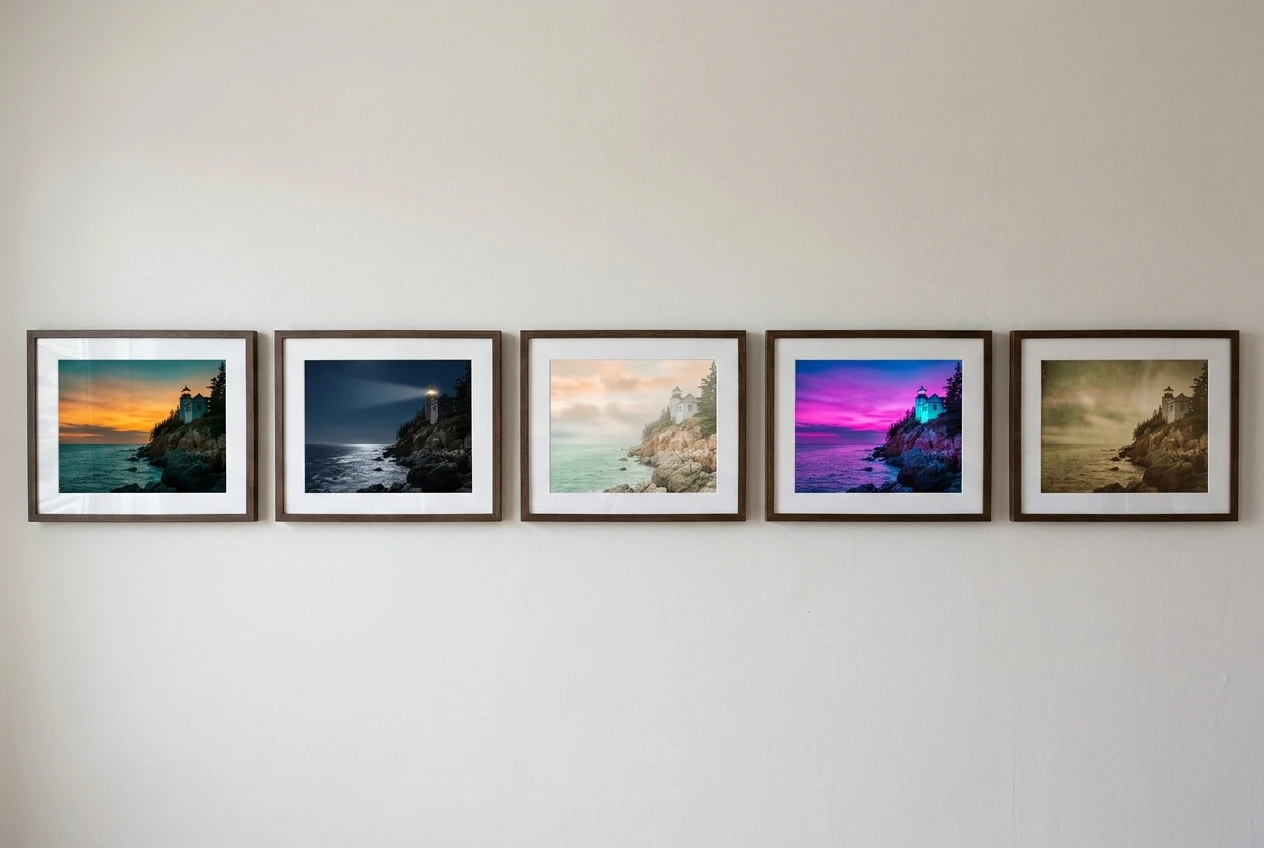
The five treatments:
- Warm dusk: golden hour, color palette of amber and deep teal, warm low sun, muted saturation, soft contrast
- Cold moonlight: blue hour, desaturated navy and silver palette, cool moonlight, high contrast, deep blacks
- Pastel morning: pastel peach and mint palette, soft overcast light, low contrast, lifted matte blacks, airy
- Neon night: magenta and cyan neon glow, night, wet reflective rocks, highly saturated, crushed blacks
- Faded vintage: 1970s color photograph look, warm browns and faded green, soft grain, low saturation, matte finish
How to run it:
- Generate the same base scene with each treatment, changing nothing else.
- If kre8or.ai gives you settings for aspect ratio or style, keep them identical across all five runs.
- Place the results side by side and note which phrase seemed to drive the biggest change. Is it the palette names, the light, or the finish?
- Then mix: take the palette from treatment 1 and the finish from treatment 2, and see what happens.
What to look for: whether the sky, water and rocks all shifted together, whether the light direction stayed believable, and whether the mood now matches the words. You will likely find that some phrases produce strong, consistent shifts and others do very little for your subject. That is useful information, because it tells you which words deserve a place in your own vocabulary.
Results vary from run to run, so if one image misses, generate again before you decide a phrase does not work. Two or three attempts per treatment give a fairer picture.
Build Your Own Reusable Color Vocabulary List
The swap test is most valuable when you keep what it teaches. A personal color vocabulary list turns each good result into something you can reuse, so you stop starting from zero on every prompt.
Keep it in any notes app or document, organized by job:
- Palettes: the color combinations that gave you the results you wanted, written as ready-to-paste phrases such as “deep teal, burnt orange and cream”
- Light: the phrases for time of day and temperature that worked, such as “blue hour with warm window glow”
- Grades: the film, era and cinematic terms that produced a look you liked
- Intensity: your preferred wording for saturation, contrast and black levels, for example “muted, soft contrast, matte blacks”
- Mood pairings: a short note linking a feeling to the words that delivered it, such as “lonely: cold blue light, one warm accent, low saturation”
- Clashes: any combination that produced a muddy or confusing result, so you do not repeat it
A useful format is a short template you fill in for each prompt:
[subject and setting], [light and time of day], color palette of [two or three colors], [saturation], [contrast and blacks], [optional grade or era].
Using the same order each time makes prompts easier to compare and edit. When a result is off, you can see exactly which slot to change.
Add to the list whenever you find something that works, and note the subject it worked on, since a palette that suits a seascape may not suit a portrait. Over time the list becomes a personal reference for ai art color palette prompts that you can trust. If you want to see how color vocabulary sits inside a complete prompt structure, the guide to graphic prompts that turn any idea into art covers the wider framework this list plugs into.
Try the swap test yourself: open kre8or.ai, run one scene with two different palette phrases from this guide, and see how far the mood shifts before you touch any editing tool.